Deprecated: Creation of dynamic property GW_GoPricing_Shortcodes::$globals is deprecated in /var/www/html/wp-content/plugins/go_pricing/includes/shortcodes/class_shortcodes.php on line 40 EGroupware, Author at EGroupware - Page 5 of 22
smallPART Webinar with exams

smallPART Webinar with exams

smallPART Webinar with exams

You are currently viewing a placeholder content from YouTube. To access the actual content, click the button below. Please note that doing so will share data with third-party providers.

More Information

smallPART Webinar with exams

Webinar recording of the 30th of March 2021.

In this webinar, you will learn how you can use smallPART for your lessons.

  • What is smallPART – a system overview
  • Functional overview – learners & teachers
  • How you can create exams and many practical tips.
  • Application scenarios e.g. in school lessons
  • Application and media perspective
  • Potentials of smallPART – flexible media fusion
  • Application examples theory and practice (live demo)
  • Area of application in safety training and instruction
  • Integration into other learning platforms via LTI in Moodle or OLAP
  • smallPART is part of the new EGroupware 21.1

Please note that single- or multiple-choice tasks, as well as the integration of videos via URL, will only be available with version 21.1!

If you need any help with this tools, contact us.

[dt_default_button link=”url:https%3A%2F%2Fwww.egroupware.org%2Fen%2Ftutorials|title:Webinars%20%E2%80%93%20Tutorials” size=”custom” border_radius=”3px”]More Webinars[/dt_default_button]

Kanban Web-Training

Kanban Web-Training

Kanban Web-Training

You are currently viewing a placeholder content from YouTube. To access the actual content, click the button below. Please note that doing so will share data with third-party providers.

More Information

Kanban: Workflows with Kanban

Webinar recording of the 25th of March 2021.

  • What is Kanban and what are the advantages?
  • How can Kanban be used within EGroupware?
  • How do I and my team benefit from Kanban?
  • Can I use it to organise my work more effectively?
  • How does it give me a better overview of my important tasks?
  • Practical examples show you how you can define a board yourself and adapt it to your work processes.
  • Webinar slides can you download here.

If you need any help with this tools, contact us.

[dt_default_button link=”url:https%3A%2F%2Fwww.egroupware.org%2Fen%2Ftutorials|title:Webinars%20%E2%80%93%20Tutorials” size=”custom” border_radius=”3px”]More Webinars[/dt_default_button]
Webinars on EGroupware 21.1

Webinars on EGroupware 21.1

Webinars on EGroupware 21.1

Dear EGroupware user,

The development of EGroupware 21.1 has continued over the last few weeks and some bugs have been fixed. Many thanks to all testers of the new version.
If you are interested in testing EGroupware 21.1 in the cloud, just let us know.

First EGroupware 21.1 packages for self-installation will be released Thursday (18.3.2021).

If you want to test EGroupware 21.1 in the self-installation, please change the tag from “20.1” to “21.1” in /etc/egroupware-docker/docker-compose.override.yml after the packages have been released. We inform in the EGroupware forum under the category “Announcements”.

The first version does not yet contain all new functions, the feature for the EGroupware firewall policy will only be published in the next release candidate.


New webinars on EGroupware 21.1

In our new webinars you have the opportunity to get to know the new functions and to ask our experts questions directly. In addition, we would like to point out various exciting events with workshops where you can take away practical knowledge on the use of EGroupware 21.1.

  • Kanban Board in EGroupware
    Date: Thursday, 25 March 2021 from 15.00 (planned 60 minutes)
    Registration: EGroupware 21.1 – New Kanban application
    The new Kanban application with practical examples:
    New Customer Acquisition, CRM & KeyAccount Management,
    Projects & Task Management, as well as Software Development & Ticket Management. This Webinar is only in German language.
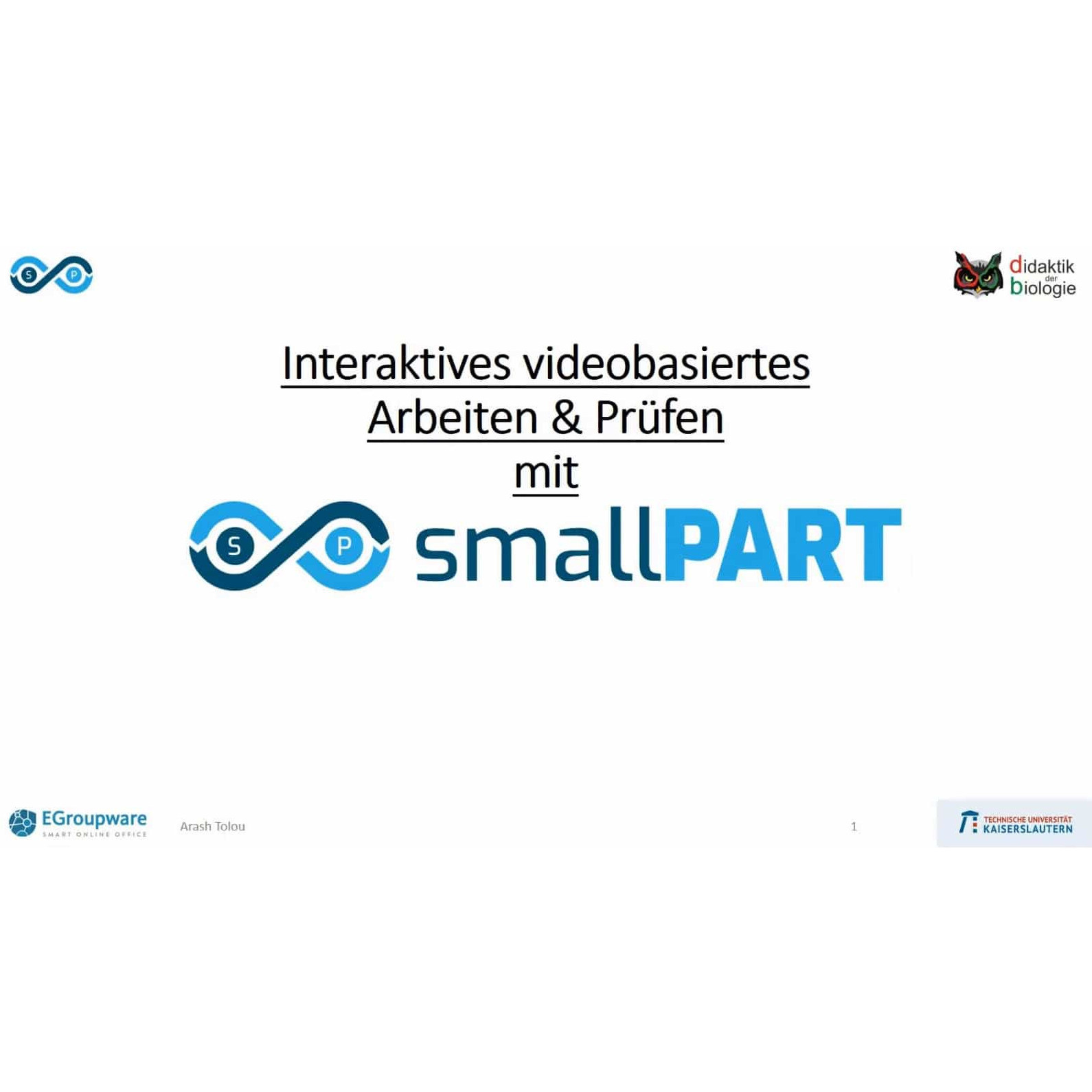
  • smallPART: Online exams and tests with videos
    Date: Tuesday, 30 March 2021 from 15.00 (planned 60 minutes)
    Registration: EGroupware 21.1 – smallPART exams and tests with videos
    Get to know the application smallPART!
    Webinar with focus on video-based exams
    Practical examples from teaching with Arash Tolou & Christoph Thyssen (TU Kaiserslautern). This Webinar is only in German language.
  • Telephony integration (CTI) and cooperation EGroupware with Placetel
    Date: Thursday, 15 April 2021 from 15.00 (planned 60 minutes)
    Registration: EGroupware – CTI – Integration using the example of Placetel
    Presentation of the CTI integration with Placetel, call lists, calendar, CRM view A Placetel representative will also be available to answer any questions you may have about Placetel itself. This Webinar is only in German language.
  • Features EGroupware 21.1 – Webinar in English, if you are interested.The date is not fixed yet.

EGroupware Dates and Events

Also in 2021 there are some interesting events and online fairs where you can learn more about EGroupware in lectures and further optimise your online office.  If you are interested in attending, please register with the relevant organiser.

  • MNU Federal Congress 2021 04 – 06 March 2021
    Association for the Promotion of Mathematics and Science Education e.V.
    Topic: Interactive work with videos in science teaching.
    Conducted by Prof. Christopf Thyssen, Arash Tolou and Marie-Christine Bednarz (TU Kaiserslautern, ZFL Centre for Teacher Education),
    If you have further questions or are interested in a workshop, Arash Tolou will be happy to give you information or is available for workshops.
  • Chemnitzer Linuxtage (CLT2021) 13 & 14 March 2021 – Unfortunately, the recordings of the Lecture are not yet available. Our Community Manager Stefan Unverricht will be happy to provide further information in the EGroupware Forum.
  • Grazer Linuxtage 2021 digital on 9 & 10 April 2021.
    The programme is not yet finalised, EGroupware will host a workshop
  • DigiTUKs: smallPART – Feedback and Collaboration with Video on 12 April 2021.
    Conducted by Prof. Christopf Thyssen and Arash Tolou (TU Kaiserslautern).
    Participation is possible via guest access: DigiTUKs – OpenOLAT and BigBlueButton
  • ZFL (Centre for Teacher Training): Simple, interactive work with videos in the classroom (smallPART) on 13 April 2021 at 14.00 .
    Conducted by Arash Tolou (TU Kaiserslautern) – Flyer for the event.
    Registration is requested: ZFL Events
  • Open Education Day 24 April 2021 – Registration deadline 15 April.
    The lectures and workshops will be held in German and also in French and English. The programme is very interesting and varied!
    10:30 am Workshop 2: smallPART – the EGroupware App.
    Topic: Interactive video use in learning units
  • Froscon 21 & 22 August: EGroupware and Collabora Online in practice
    Joint presentation on EGroupware and Collabora Online together with a Collabora Productivity team member.
    The programme is not yet fixed, implementation as an online event

We would be happy to meet many of you at the events (online).

Best regards.

The EGroupware Team

Webinars on EGroupware 21.1

New features and applications in EGroupware 21.1

New features and applications in EGroupware 21.1

Dear EGroupware user,

As you probably noticed, EGroupware has (since the beginning 2021) a new website and a new logo, which we here introduce for the first time. Have a look at our EGroupware Website there is a lot to discover. Furthermore, the development of EGroupware 21.1 is on track and a first pre-release version will be soon available. EGroupware 21.1 is already available in the EGroupware Cloud – for example used in our supportcenter.
If you are interested in testing EGroupware 21.1, just let us know.


Key features of EGroupware 21.1


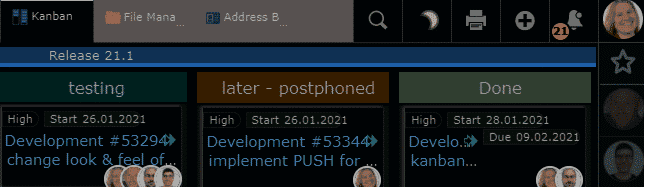
  • Kanban Board board for tasks, projects, tickets or as sales-funnel for the sales department
  • smallPART video-based learning with Single/MultipleChoice or open questions for tests and exams
  • Sharing Enhancement in the Filemanager for sharing within EGroupware
  • Dark Mode Theme with easy switching
  • Telephony Integration enhanced with caller ID and opening of CRM view
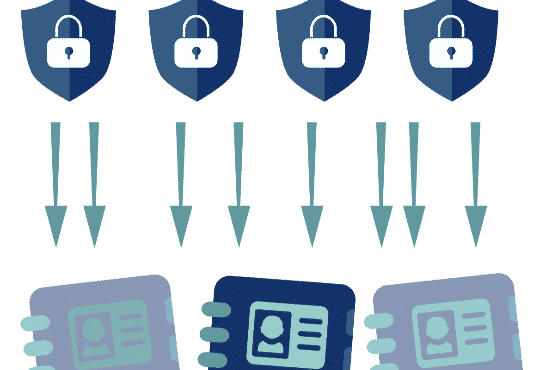
  • EGroupware Firewall Policy for more complex access regulations External/Internal


EGroupware Homeoffice Integration


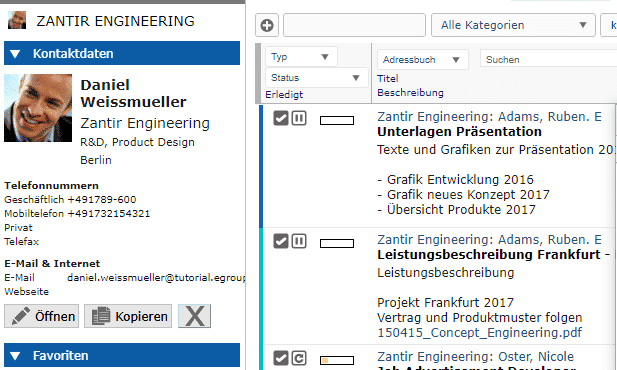
With EGroupware you can work in your home office or at distributed locations. Access tasks, appointments, files, addresses and projects together.

  • Work together on your documents with Collabora Online,  which are stored centrally in the EGroupware filemanager.
  • Chat and video conferences  via Jitsi or BigBlueButton are also possible in compliance with GDPR. If you do not want to operate your own video server, we recommend the following German providers: KiwiTalk.de and bbbserver.de
  • With the Guacamole module, you get a fully-fledged home office workplace through secure web browser access to your PC in the company.


EGroupware Mailserver Packages and SpamTitan


EGroupware mail server packages (dovecot based with PUSH): (dovecot basierend mit PUSH):
Recommended for self-installation with users in SQL
Advantage: easy administration of mail accounts from EGroupware including alias, forwarding, permission of email accounts or folders for other users, Sieve filter rules and absence notice (can also be set by an admin for others e.g. in case of illness).
Optional spam and virus filtering via SpamTitan including API connection in EGroupware for marking SPAM/Ham (learning mode) or blacklists/whitelists.

Kanban application

for tasks, projects, tickets or as a sales funnel

EPL only

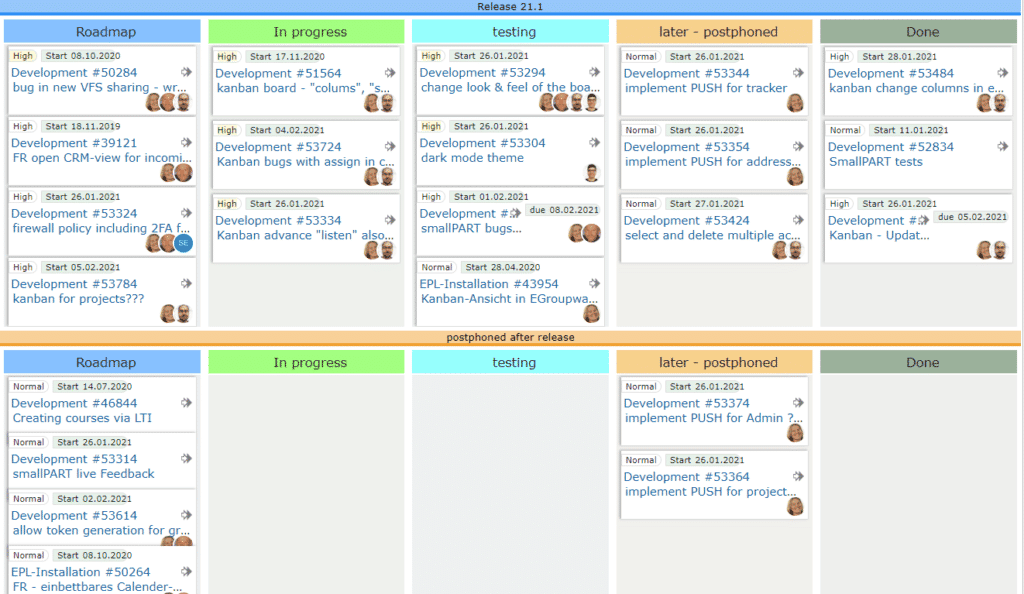
With the new Kanban application, you manage processes smart and flexible.
You simply define a Kanban board with the applications and user groups you want to use.
For more automatism, you define how new entries are added or actions that should take place when they are moved.

For example, if you move a task to the “done” column, it is closed and removed from the board. Two people are responsible for a process step? You define this on the board and the assignment happens automatically.

[dt_default_button link=”url:%2Fen%2Fkanban|title:Kanban”]More about Kanban …[/dt_default_button]

smallPART for tests and exams with single, multiple choice or open questions


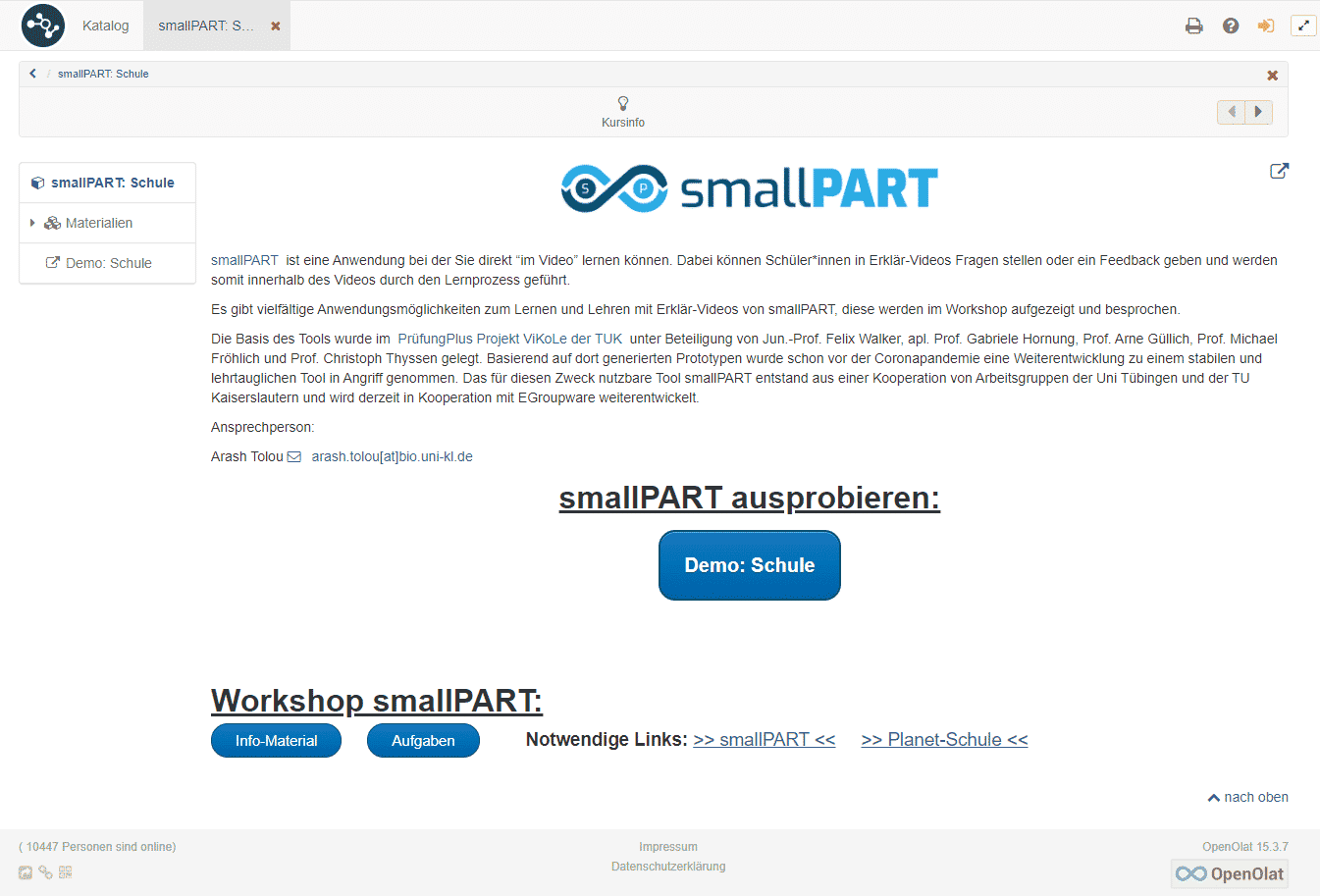
Embedding via LTI in learning platforms

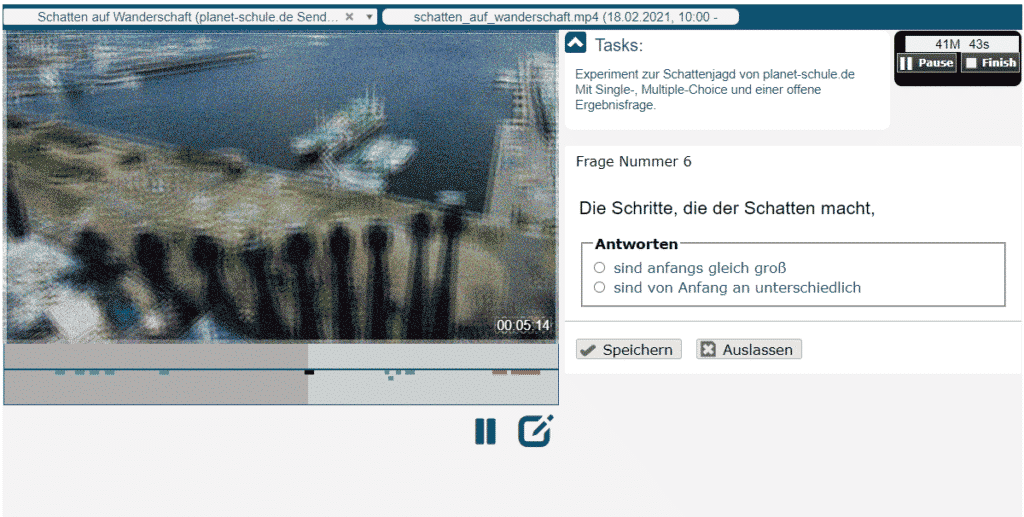
smallPART for video-based learning receives an extension for automated tests and exams with EGroupware 21.1.

You create multiple choice questions, mark the correct answers and set options for the exam if necessary.
A compulsory question for example, has to be answered before the student can continue to watch the video or the answers should be displayed in a random order.

Once the test taker has completed the test, the analysis happens automatically. In case of open questions, the teacher can simply comment them and award points.

[dt_default_button link=”url:%2Fen%2Fvideo-based-learning|title:Video%20based%20learning”]More about smallPART … [/dt_default_button]

Sharing enhancement

in the Filemanager for sharing within EGroupware

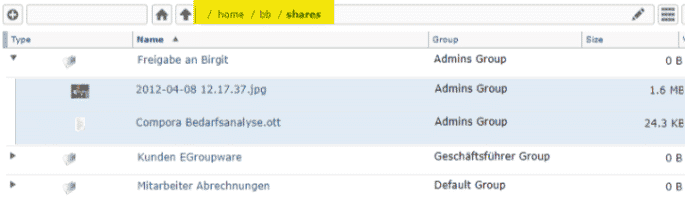
EGroupware 21.1 simply displays shared files or folders in your personal home directory under “Shares”.
If you want to see this sharing link even after logging in again, add it permanently to your shares with one click. If you no longer need it, simply delete it again.

[dt_default_button link=”url:%2Fen%2Fdocuments|title:Documents”]More about document sharing …[/dt_default_button]

Dark Mode Theme

with simple switching

Do you prefer an inverse display of the content in the dark – called Dark Mode?

As of version 21.1, you can switch between day and night mode with a single click or automatically if your operating system supports it, e.g. MacOS.

Telefonie-Integration

extended with caller ID and opening the CRM view
Integration with Placetel telephone system

In EGroupware 21.1, incoming calls can now directly open the CRM view of the contact or organisation. 

The requirement is either the use of a Placetel telephone system as part of the EPL functions or that your telephone system uses our Api calls. More detailed information about the Api can be found in the administration of the EPL functions. Further integrations are for example the display of calls in the calendar, or the call list with identified contacts or the total call list (incoming, outgoing, missed) for the administrator. More to come!

[dt_default_button link=”url:%2Fen%2Fcrm|title:CRM”]More about CRM Integration …[/dt_default_button]

EGroupware Firewall Policy

for more complex access regulations External/Internal

EPL only

You want to define a fine-grained rule for your organisations, like “who is allowed to log in when and how”?  

Access to the company network is supposed to be used as a second factor (2FA)? You simply specify the corresponding IP ranges. You want to allow access for a limited time or only permit access from outside the company network via 2FA and only for the groups admin, sales and management?

All this is possible with the firewall policy.

smallPART Tutorial LTI Connection

smallPART Tutorial LTI Connection

smallPART Tutorial LTI Connection to the Learning Management System OpenOlat

You are currently viewing a placeholder content from YouTube. To access the actual content, click the button below. Please note that doing so will share data with third-party providers.

More Information

smallPART Tutorial LTI Connection to the Learning Management System OpenOlat of the TU Kaiserslautern

Learn in this short video how to connect the EGroupware application smallPART to the learning management system OpenOlat of the TU Kaiserslautern. So participants themselves only act in the familiar learning system. EGroupware simply serves as a platform for the creation and storage of the smallPART data.

If you have any further questions, please do not hesitate to contact the EGroupware Support.

[dt_default_button link=”url:https%3A%2F%2Fwww.egroupware.org%2Fen%2Ftutorials|title:Webinars%20%E2%80%93%20Tutorials” size=”custom” border_radius=”3px”]More Tutorials ansehen[/dt_default_button]
This site is registered on wpml.org as a development site. Switch to a production site key to remove this banner.