Deprecated: Creation of dynamic property GW_GoPricing_Shortcodes::$globals is deprecated in /var/www/html/wp-content/plugins/go_pricing/includes/shortcodes/class_shortcodes.php on line 40 News Archives - Page 7 of 12 - EGroupware
Nouvelles fonctionnalités et applications dans EGroupware 21.1

Nouvelles fonctionnalités et applications dans EGroupware 21.1

Nouvelles fonctionnalités et applications dans EGroupware 21.1

Cher utilisateur d’EGroupware,

Comme vous l’avez probablement remarqué, EGroupware a (depuis le début 2021) un nouveau site web et un nouveau logo, que nous présentons ici pour la première fois. Jetez un coup d’œil à notre
Site web EGroupware
il y a beaucoup à découvrir. De plus, le développement d’EGroupware 21.1 est en cours et une première version de pré-version sera bientôt disponible. EGroupware 21.1 est déjà disponible dans le nuage EGroupware – par exemple utilisé dans notre centre de support.
Si vous souhaitez tester EGroupware 21.1, il vous suffit de nous le faire savoir.


Principales caractéristiques d’EGroupware 21.1


  • Conseil duKanban Board pour les tâches, les projets, les billets ou comme canal de vente pour le département des ventes
  • apprentissage vidéo ensmallPART avec choix unique ou multiple ou questions ouvertes pour les tests et examens
  • Amélioration du partage dans le Filemanager pour le partage au sein d’EGroupware
  • Thème en mode sombre avec changement facile
  • Intégration de la téléphonie améliorée avec l’identification de l’appelant et l’ouverture de
    Vue du CRM
  • Politique de pare-feu EGroupware pour des règles d’accès plus complexes Externe/interne


Intégration du bureau à domicile d’EGroupware


Avec EGroupware, vous pouvez travailler dans votre bureau à domicile ou sur des sites distribués. Accédez ensemble aux tâches, rendez-vous, dossiers, adresses et projets.

  • Travaillez ensemble sur vos documents avec Collabora Online, qui sont stockés de manière centralisée dans le gestionnaire de fichiers EGroupware.
  • Lechat et les vidéoconférences via Jitsi ou BigBlueButton sont également possibles, conformément à la GDPR. Si vous ne souhaitez pas exploiter votre propre serveur vidéo, nous vous recommandons les fournisseurs allemands suivants : KiwiTalk.de et bbbserver.de
  • Avec le module Guacamole, vous obtenez un véritable bureau à domicile grâce à un accès sécurisé par navigateur web à votre PC dans l’entreprise.


Les serveurs de messagerie EGroupware et SpamTitan


Les paquets du serveur de messagerie EGroupware (pigeonnier basé sur PUSH) : (pigeonnier basé avec PUSH) :
Recommandé pour l’auto-installation avec les utilisateurs en SQL
Avantage : administration facile des comptes de messagerie à partir d’EGroupware, y compris l’alias, la redirection, l’autorisation de comptes ou de dossiers de messagerie pour d’autres utilisateurs, les règles du filtre Sieve et l’avis d’absence (peut également être défini par un administrateur pour d’autres personnes, par exemple en cas de maladie).
Filtrage optionnel des spamset des virus via SpamTitan, y compris une connexion API dans EGroupware pour le marquage des SPAM/Ham (mode apprentissage) ou des listes noires/listes blanches.

Application du kanban

pour des tâches, des projets, des billets ou comme entonnoir de vente

EPL uniquement

Avec la nouvelle application Kanban, vous gérez les processus de manière intelligente et flexible.
Il vous suffit de définir un tableau Kanban avec les applications et les groupes d’utilisateurs que vous souhaitez utiliser.
Pour plus d’automatisme, vous définissez la manière dont les nouvelles entrées sont ajoutées ou les actions qui doivent avoir lieu lorsqu’elles sont déplacées.

Par exemple, si vous déplacez une tâche dans la colonne “terminé”, elle est fermée et retirée du tableau. Deux personnes sont responsables d’une étape du processus ? Vous le définissez sur le tableau et l’affectation se fait automatiquement.

[dt_default_button link=”url:%2Fen%2Fkanban|title:Kanban”]En savoir plus sur le Kanban …[/dt_default_button]

smallPART pour les tests et examens à choix unique, à choix multiple ou à questions ouvertes


Intégrer les technologies de l’information et de la communication dans les plates-formes d’apprentissage

smallPART pour l’apprentissage par vidéo reçoit une extension pour les tests et examens automatisés avec EGroupware 21.1.

Vous créez des questions à choix multiples, vous notez les bonnes réponses et vous fixez des options pour l’examen si nécessaire.
Par exemple, l’élève doit répondre à une question obligatoire avant de pouvoir continuer à regarder la vidéo ou les réponses doivent être affichées dans un ordre aléatoire.

Une fois que le candidat a terminé le test, l’analyse se fait automatiquement. En cas de questions ouvertes, l’enseignant peut simplement les commenter et attribuer des points.

[dt_default_button link=”url:%2Fen%2Fvideo-supported-learning|title:Video%20Supported%20Learning”]En savoir plus sur smallPART … [/dt_default_button]

Partager l’amélioration

dans le Filemanager pour le partage au sein d’EGroupware

EGroupware 21.1 affiche simplement les fichiers ou dossiers partagés dans votre répertoire personnel sous la rubrique “Partages”.
Si vous souhaitez voir ce lien de partage même après vous être reconnecté, ajoutez-le de façon permanente à vos parts en un seul clic. Si vous n’en avez plus besoin, il suffit de le supprimer à nouveau.

[dt_default_button link=”url:%2Fen%2Fdocuments|title:Documents”]En savoir plus sur le partage de documents …[/dt_default_button]

Thème du mode sombre

avec une simple commutation

Préférez-vous un affichage inverse du contenu dans l’obscurité – appelé “mode sombre” ?

À partir de la version 21.1, vous pouvez passer du mode jour au mode nuit d’un simple clic ou automatiquement si votre système d’exploitation le prend en charge, par exemple MacOS.

Téléfonie-Intégration

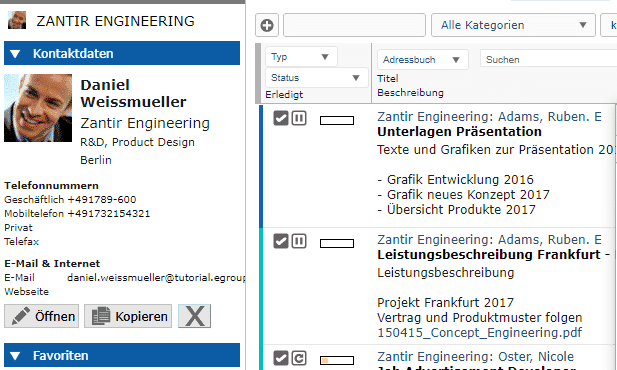
étendu avec l’identification de l’appelant et l’ouverture de la vue du CRM
Intégration avec le système téléphonique de Placetel

Dans EGroupware 21.1, les appels entrants peuvent désormais ouvrir directement la vue CRM du contact ou de l’organisation.

La condition est soit l’utilisation d’un système téléphonique Placetel dans le cadre des fonctions de la LPE, soit que votre système téléphonique utilise nos appels Api. Vous trouverez des informations plus détaillées sur l’Api dans l’administration des fonctions de la LPE. D’autres intégrations sont par exemple l’affichage des appels dans le calendrier, ou la liste des appels avec les contacts identifiés ou la liste totale des appels (entrants, sortants, manqués) pour l’administrateur. D’autres à venir !

[dt_default_button link=”url:%2Fen%2Fcrm|title:CRM”]En savoir plus sur l’intégration CRM …[/dt_default_button]

Politique de pare-feu d’EGroupware

pour des règlements d’accès plus complexes Externe/interne

EPL uniquement

Vous voulez définir une règle précise pour vos organisations, comme “qui est autorisé à se connecter, quand et comment” ?

L’accès au réseau de l’entreprise est censé être utilisé comme un second facteur (2FA) ? Il vous suffit de spécifier les plages de PI correspondantes. Vous souhaitez autoriser l’accès pour une durée limitée ou ne permettre l’accès depuis l’extérieur du réseau de l’entreprise via 2FA et uniquement pour les groupes administration, vente et gestion ?

Tout cela est possible grâce à la politique de pare-feu.

Nouvelles fonctionnalités et applications dans EGroupware 21.1

New features and applications in EGroupware 21.1

New features and applications in EGroupware 21.1

Dear EGroupware user,

As you probably noticed, EGroupware has (since the beginning 2021) a new website and a new logo, which we here introduce for the first time. Have a look at our EGroupware Website there is a lot to discover. Furthermore, the development of EGroupware 21.1 is on track and a first pre-release version will be soon available. EGroupware 21.1 is already available in the EGroupware Cloud – for example used in our supportcenter.
If you are interested in testing EGroupware 21.1, just let us know.


Key features of EGroupware 21.1


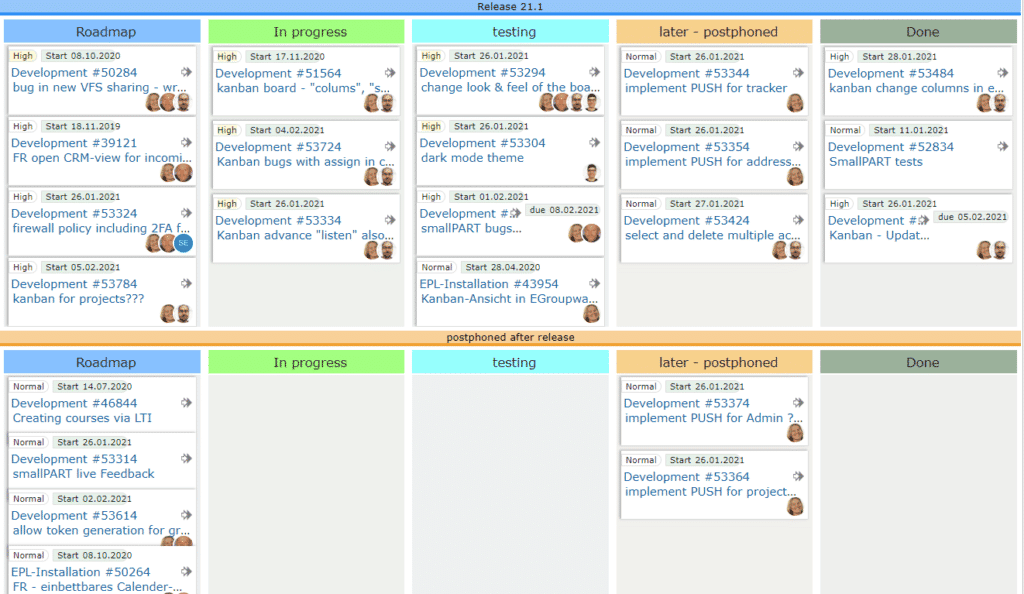
  • Kanban Board board for tasks, projects, tickets or as sales-funnel for the sales department
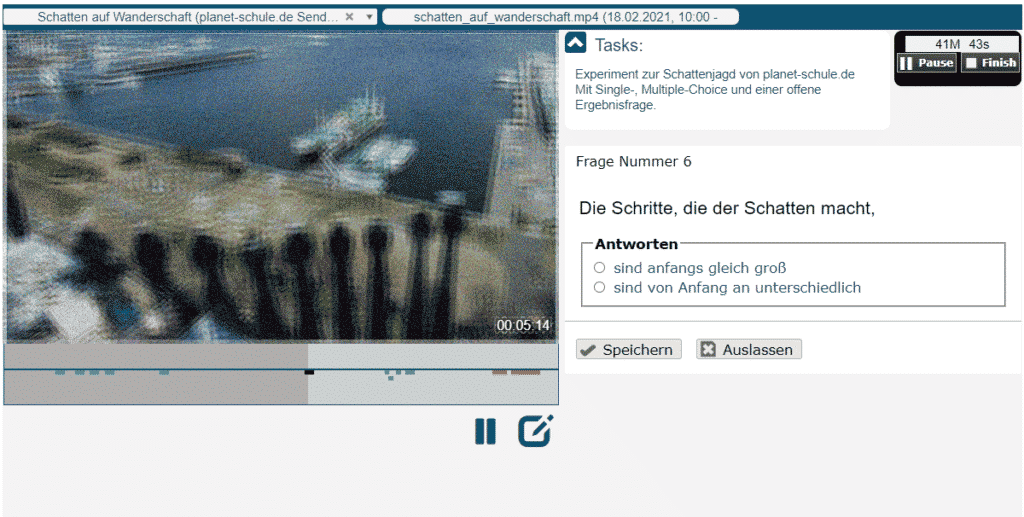
  • smallPART video-based learning with Single/MultipleChoice or open questions for tests and exams
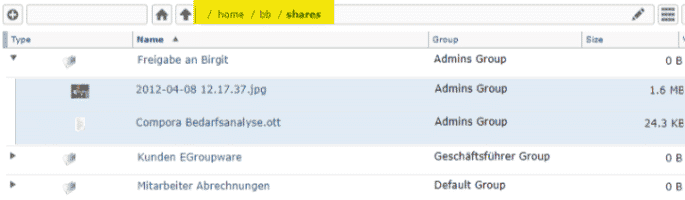
  • Sharing Enhancement in the Filemanager for sharing within EGroupware
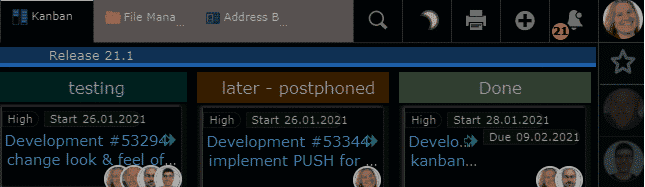
  • Dark Mode Theme with easy switching
  • Telephony Integration enhanced with caller ID and opening of CRM view
  • EGroupware Firewall Policy for more complex access regulations External/Internal


EGroupware Homeoffice Integration


With EGroupware you can work in your home office or at distributed locations. Access tasks, appointments, files, addresses and projects together.

  • Work together on your documents with Collabora Online,  which are stored centrally in the EGroupware filemanager.
  • Chat and video conferences  via Jitsi or BigBlueButton are also possible in compliance with GDPR. If you do not want to operate your own video server, we recommend the following German providers: KiwiTalk.de and bbbserver.de
  • With the Guacamole module, you get a fully-fledged home office workplace through secure web browser access to your PC in the company.


EGroupware Mailserver Packages and SpamTitan


EGroupware mail server packages (dovecot based with PUSH): (dovecot basierend mit PUSH):
Recommended for self-installation with users in SQL
Advantage: easy administration of mail accounts from EGroupware including alias, forwarding, permission of email accounts or folders for other users, Sieve filter rules and absence notice (can also be set by an admin for others e.g. in case of illness).
Optional spam and virus filtering via SpamTitan including API connection in EGroupware for marking SPAM/Ham (learning mode) or blacklists/whitelists.

Kanban application

for tasks, projects, tickets or as a sales funnel

EPL only

With the new Kanban application, you manage processes smart and flexible.
You simply define a Kanban board with the applications and user groups you want to use.
For more automatism, you define how new entries are added or actions that should take place when they are moved.

For example, if you move a task to the “done” column, it is closed and removed from the board. Two people are responsible for a process step? You define this on the board and the assignment happens automatically.

[dt_default_button link=”url:%2Fen%2Fkanban|title:Kanban”]More about Kanban …[/dt_default_button]

smallPART for tests and exams with single, multiple choice or open questions


Embedding via LTI in learning platforms

smallPART for video-based learning receives an extension for automated tests and exams with EGroupware 21.1.

You create multiple choice questions, mark the correct answers and set options for the exam if necessary.
A compulsory question for example, has to be answered before the student can continue to watch the video or the answers should be displayed in a random order.

Once the test taker has completed the test, the analysis happens automatically. In case of open questions, the teacher can simply comment them and award points.

[dt_default_button link=”url:%2Fen%2Fvideo-based-learning|title:Video%20based%20learning”]More about smallPART … [/dt_default_button]

Sharing enhancement

in the Filemanager for sharing within EGroupware

EGroupware 21.1 simply displays shared files or folders in your personal home directory under “Shares”.
If you want to see this sharing link even after logging in again, add it permanently to your shares with one click. If you no longer need it, simply delete it again.

[dt_default_button link=”url:%2Fen%2Fdocuments|title:Documents”]More about document sharing …[/dt_default_button]

Dark Mode Theme

with simple switching

Do you prefer an inverse display of the content in the dark – called Dark Mode?

As of version 21.1, you can switch between day and night mode with a single click or automatically if your operating system supports it, e.g. MacOS.

Telefonie-Integration

extended with caller ID and opening the CRM view
Integration with Placetel telephone system

In EGroupware 21.1, incoming calls can now directly open the CRM view of the contact or organisation. 

The requirement is either the use of a Placetel telephone system as part of the EPL functions or that your telephone system uses our Api calls. More detailed information about the Api can be found in the administration of the EPL functions. Further integrations are for example the display of calls in the calendar, or the call list with identified contacts or the total call list (incoming, outgoing, missed) for the administrator. More to come!

[dt_default_button link=”url:%2Fen%2Fcrm|title:CRM”]More about CRM Integration …[/dt_default_button]

EGroupware Firewall Policy

for more complex access regulations External/Internal

EPL only

You want to define a fine-grained rule for your organisations, like “who is allowed to log in when and how”?  

Access to the company network is supposed to be used as a second factor (2FA)? You simply specify the corresponding IP ranges. You want to allow access for a limited time or only permit access from outside the company network via 2FA and only for the groups admin, sales and management?

All this is possible with the firewall policy.

Integrated video conferencing and remote access to desktop PCs

Integrated video conferencing and remote access to desktop PCs

Video conferences and remote access to desktop PCs integrated

The collaboration solution EGroupware now offers a module for video conferences with the integration of “Jitsi”. The new module “Guacamole” provides a full-fledged home office workplace by accessing the company PC via web browser.
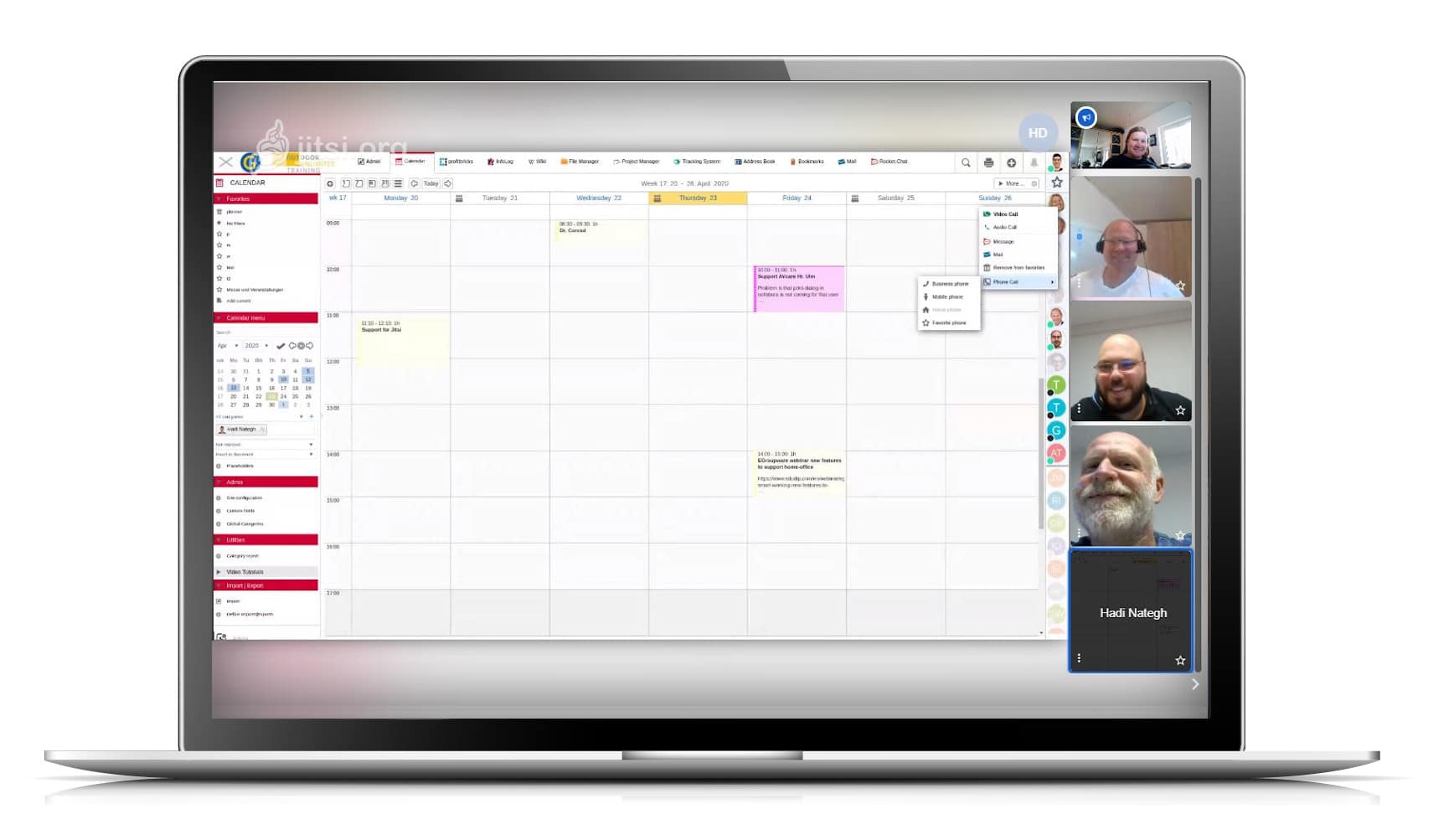

Video conferences with EGroupware 19.1

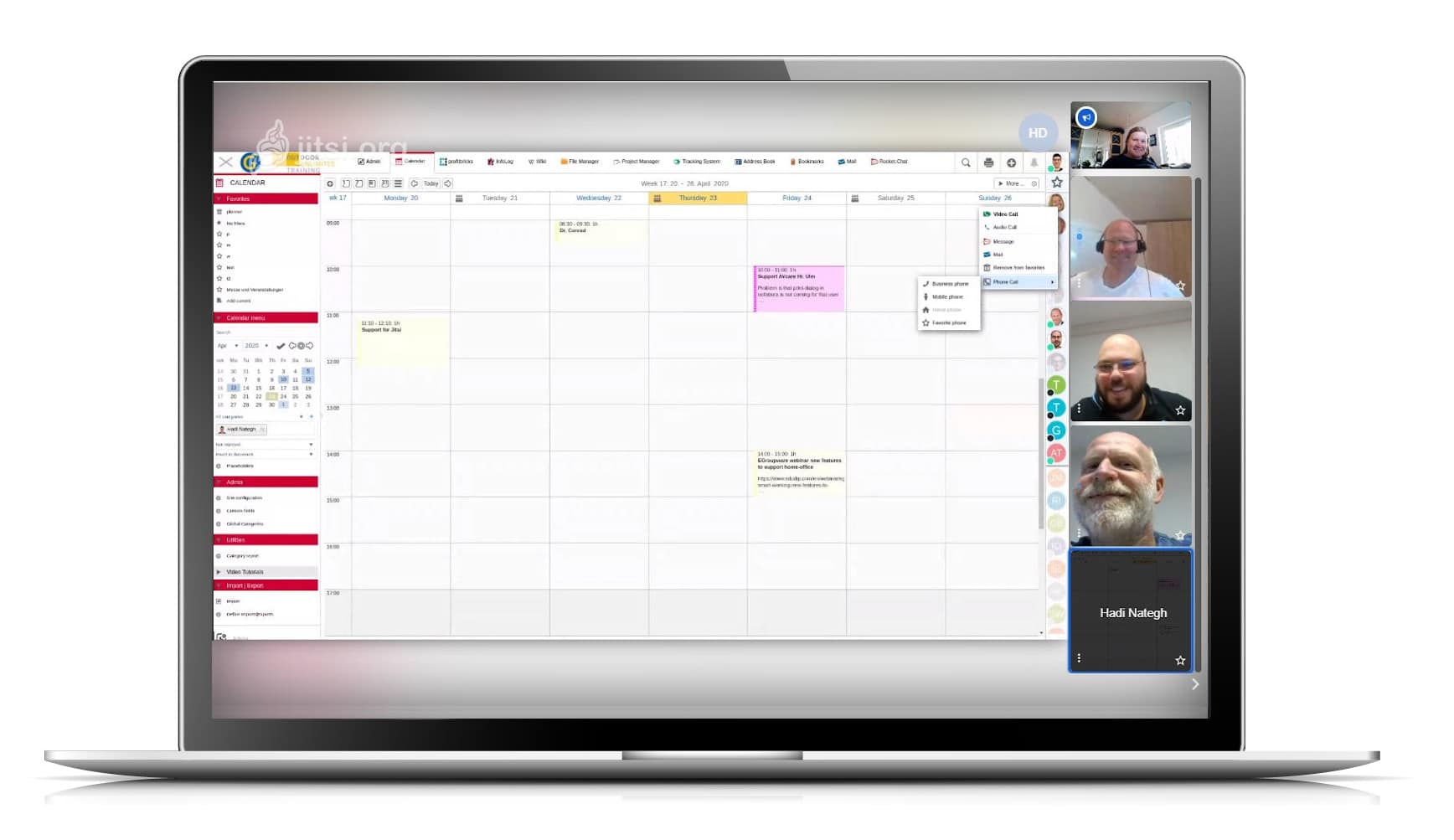
Kaiserslautern, 24.04.2020 – With Jitsi, it is very easy to hold video conferences with colleagues at home or in the home office and with external parties. Via the status bar, EGroupware users can see who is online. With these employees, ad hoc virtual meetings can be arranged. For others and contacts outside the groupware circle who are not online, invitations can be sent out from EGroupware and conference appointments can be arranged.
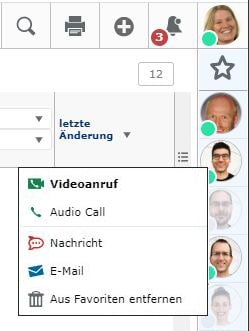
External participants will receive an e-mail with a link to join the conference. The data connection is encrypted, and as long as the server is located in Germany, there are no data protection concerns. No additional tool is required. Jitsi runs in a web browser.

Parallel to the video conference, other EGroupware modules for chat, document exchange and editing (Collabora Online) etcetera can be used.

The Jitsi extension is part of the maintenance update 19.1.20200409 of EGroupware. For its users – in the community like the
Professional version – the EGroupware GmbH and IONOS Cloud offer a jitsi server in Frankfurt, which will be available free of charge during the Corona crisis until the end of June 2020. If you have already set up Jitsi on your own server, you can simply add it to EGroupware.

Working in the home office is only possible to a limited extent in many places. For one thing, the desktops or notebooks available there do not have the performance of the end devices in the offices. And for another, it is neither possible nor desirable to set up VPN connections for all external systems. Therefore EGroupware GmbH has additionally made the module Guacamole directly from the collaboration software usable.
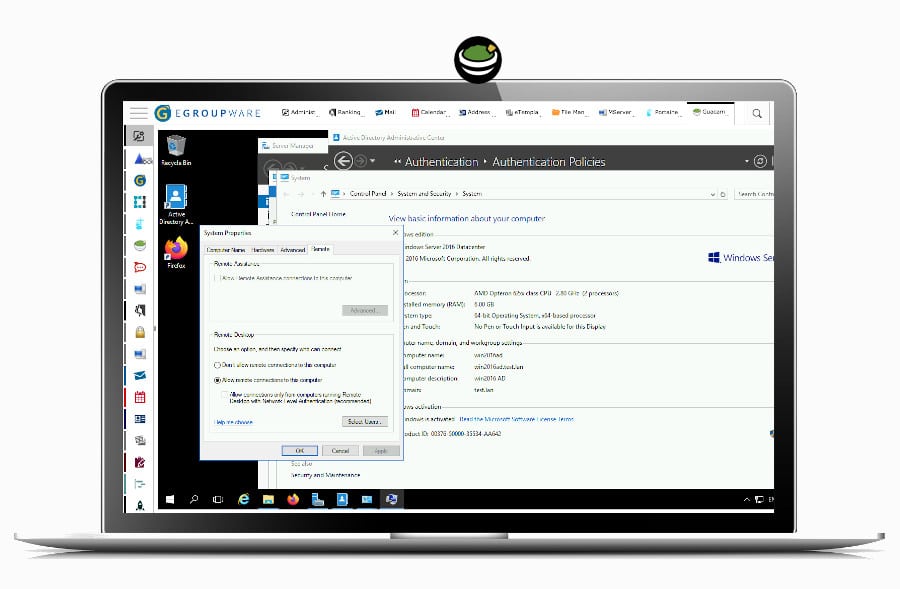
With Guacamole complex applications can be transferred to the browser of weaker PCs and used there. This also eliminates license cost issues for specialized applications on local PCs in the home office. It is therefore more than just screen sharing or remote maintenance as with TeamViewer, but rather full access to desktop PCs as with Citrix Virtual Apps or Parallels RAS. It is up to the administrators to determine which users should have access to which desktops and which security levels, for example two-factor authentication, are required for this.
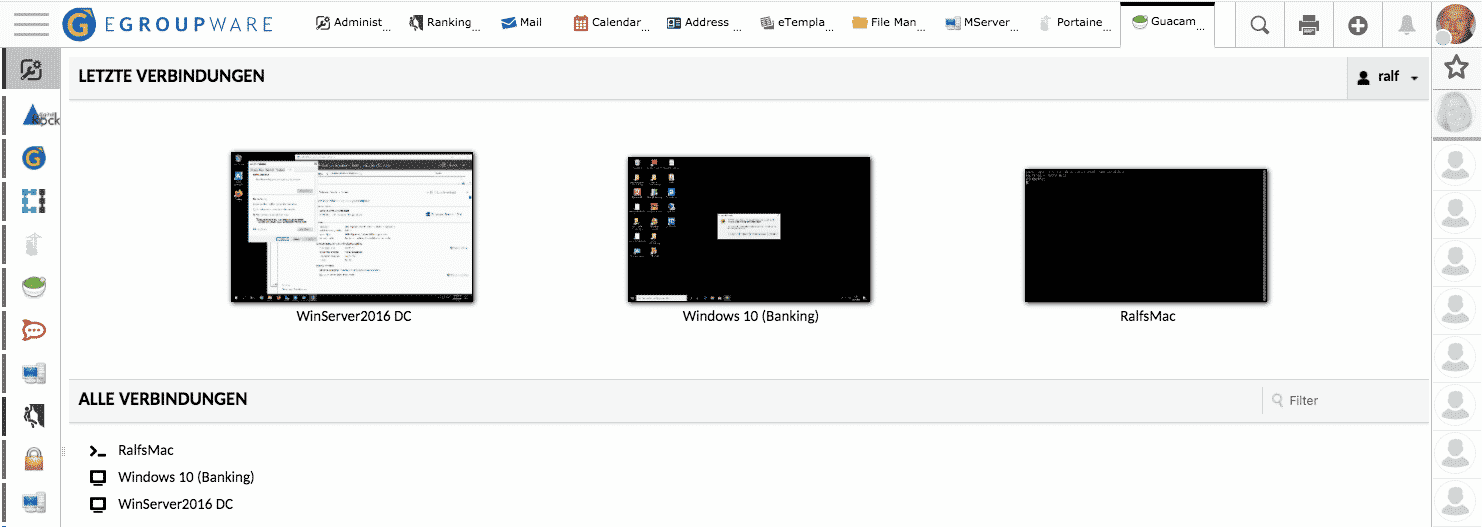
Jitsi and Guacamole are open source like EGroupware. It is therefore possible for users with their own IT environment to adapt the applications to their own requirements and to extend them if necessary. EGroupware GmbH offers assistance with installation and support. The sponsored Jitsi Server is already preconfigured on all EGroupware installations.

If you have questions about EGroupware, you can always contact our team!

With kind regards from Kaiserslautern

EGroupware GmbH

Release Announcement EGroupware 19.1

Release Announcement EGroupware 19.1

We would like to inform you that the 3rd release candidate of EGroupware 19.1 is available and that the release will be published next week. Start working with the new version prior to the actual release and thereby help us to find the last bugs of 19.1! Especially tests for updates on different platforms and with different application scenarios are interesting.

Installation packages for EGroupware 19.1 are now available. You’ll find an installation instruction on >> GitHub.

Please note that installations of the Community Edition which are set to “autoupdate” (depending on the distribution), with release date 13.08.2019 will be possibly (immediately) updated to the new release! If you do not want the changeover until a later date, you should deactivate “autoupdate”. More detailed information on whether your distribution will be changed over automatically or whether the update to the new version must be initiated manually can be found shortly in our installation instructions and the release notes.
Customers of the EGroupware Enterprise Line “EPL” will NOT be directly and automatically changed over, as in previous years. The announcement for the update to EGroupware 19.1 will be made via customer information within the next few weeks. If you are using EGroupware in the cloud and are interested in a direct update, simply contact us and we will update you to the new version in advance.

Please send your feedback and eventual bug reportings to the support center (for customers of the EPL) or post them in the EGroupware Forum (for users of the Community Edition). EGroupware Forum:  >> help.egroupware.org

In case you want to have a look at our german webinar about EGroupware 19.1, you’ll find it here:  >> 19.1 Webinar

We’re looking forward to your participation and a successful beta testing phase!

>>  EGroupware 19.1 at a Glance

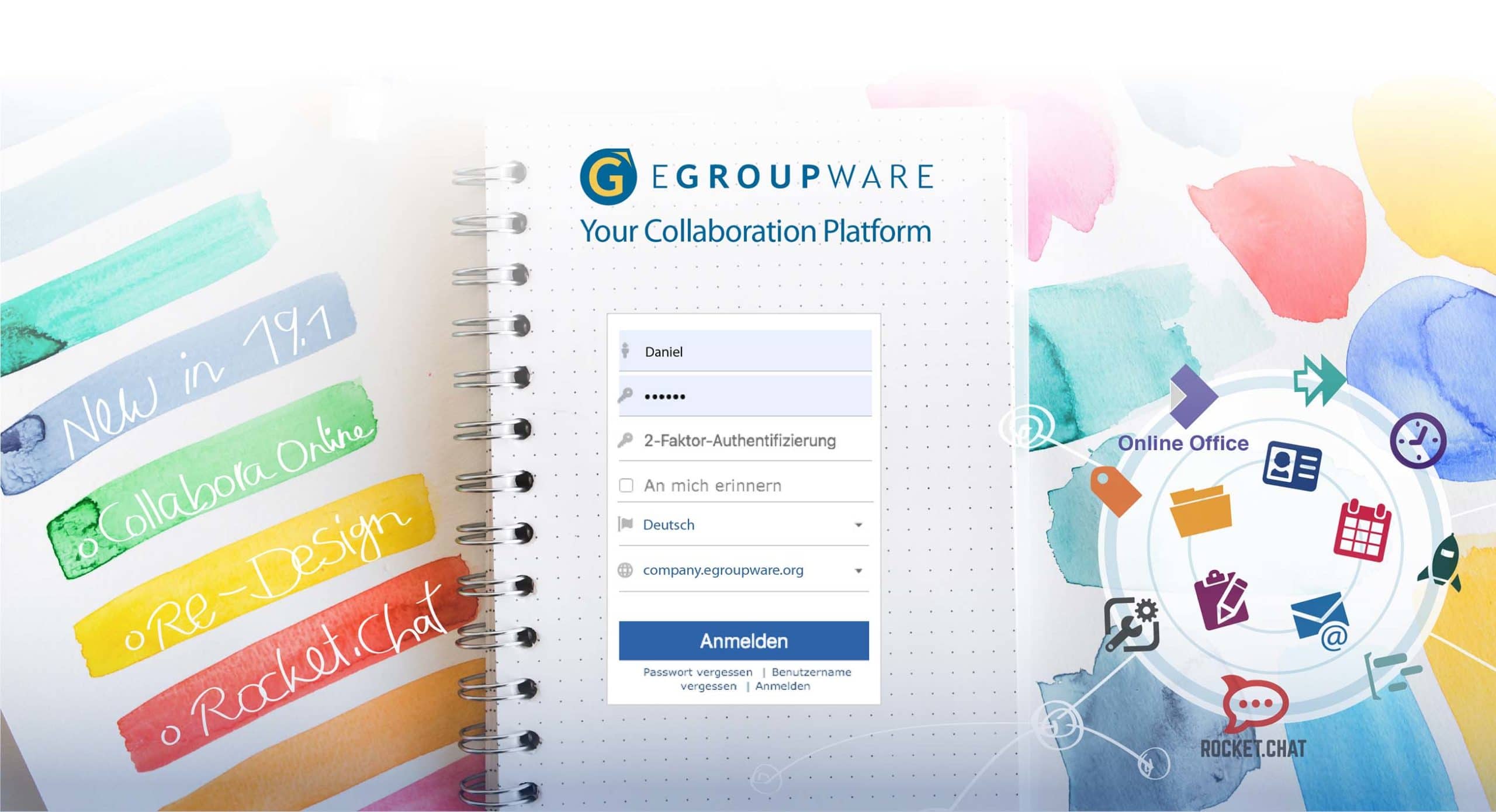
EGroupware 19.1 – what’s new?

  • GDPR – easy to implement: Professional data protection in the address book
  • Admin support for GDPR: Documentation & reporting of all administrative changes
  • Two-Factor-Authentication: Activate it for additional data security
  • New Messenger in EGroupware: Integration of Rocket.Chat
  • Status App: New Application
  • General Improvements: Optimised user interface and new features in all apps

Innovations EGroupware 19.1 in detail

DSGVO easy to implement – professional data protection in the address book:
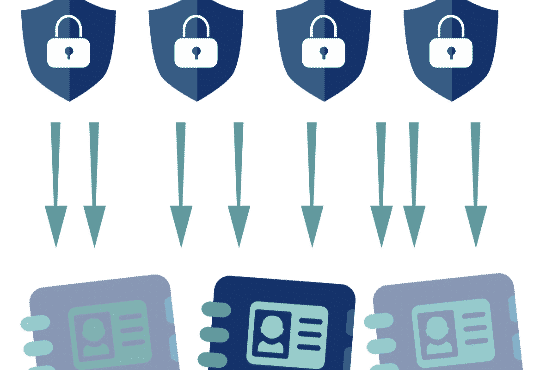
With the new “Policy Application” in EGroupware, you can define rules for your individual address books from 19.1 onwards. Which fields have to be filled in? Who in the company may access them? Who is allowed to see the private telephone numbers of the contacts? When should addresses be deleted automatically in order to comply with the DSGVO deadlines? The new policies regulate all this.
Practical: The rules can be printed and stored directly in the directory of processing activities (procedure directory).

Admin support for DSGVO: Documentation & tracking of all administrative changes:
From version 19.1 onwards, you can track all administrative changes precisely in the admin tool.
For example: An employee changes departments and therefore gets access to other data? Why did a change take place and who initiated it? In the new, comprehensive “Admin Documentation” this is recorded in detail.

Enable two-factor authentication for added data security:
By default, two-factor authentication is optionally enabled in 19.1. As an administrator, however, you can also activate or deactivate this as mandatory (not recommended).
NEW: Allow users to set a “remind me” token. The browser cookie is offered by default as another factor in the Community and EPL version. So you don’t always have to enter the password as the 2nd factor on your own well secured laptop – password and token are considered to be 2 factors.
Further options for EPL customers are planned here, for example the activation of two-factor authentication outside the home network or outside normal business hours.

Integration Rocket.chat messenger and status application:
With Rocket.Chat you can chat safely and easily with your colleagues and partners within EGroupware. It enables team chats, screen transmission and video chats as well as the exchange of files. Rocket.chat is – like EGroupware – open source software and the leading alternative to proprietary chat tools like Slack, Microsoft Teams, Hipchat or Stride.
With the “Status-App” you can quickly see who of your colleagues is online – in EGroupware or Rocket.Chat. With just one click you can start chats with colleagues or write e-mails to them. The integration of further applications is planned – for example starting a phone call with a colleague or displaying the most important contacts, tasks, tickets and their changes.

Optimized user interface:
Starting with version 19.1 the EGroupware apps have their own color code. Colored icons and page menus facilitate orientation and show directly in which app you are. Of course, it is still possible to use a monochrome view. Compared to EGroupware 17.1, the user interface is clearer and more transparent. Version 19.1 also supports the use of avatars (users can assign a photo or graphic to their profile). The new editor (TinyMCE) provides increased security (through full support of the “Content Security Policy”) and also offers users technical and optical improvements.

New functions in many applications:

  • Ticket system (edit comments and add files to comments)
  • File manager (direct Collabora sharing link, file paths are directly clickable)
  • Mail app (change the subject of incoming e-mails, e.g. for scanned documents or electronic faxes)
  • Calendar (new quick insert dialog for appointments)

If you have any kind of questions concerning EGroupware 19.1, please feel free to contact us.

Best regards

Eva Wertheimer
EGroupware GmbH

Release Announcement EGroupware 19.1

Pre-Release and Betatest 19.1

We’d like to invite you to join the EGroupware 19.1 testing phase – no matter if you’re using EGroupware on premises or in the cloud. Start working with the new version prior to the actual release and thereby help us to find the last bugs of 19.1!

The first installation packages for EGroupware 19.1 are now available. You’ll find an installation instruction on >> GitHub.
If you’re using EGroupware in the cloud and you’re interested in the beta test, please contact us. We’ll then update your installation to version 19.1 in advance to the regular release.

Please send your feedback and eventual bug reportings to the support center (for customers of the EPL) or post them in the EGroupware Forum (for users of the Community Edition). EGroupware Forum:  >> help.egroupware.org

In case you want to have a look at our german webinar about EGroupware 19.1, you’ll find it here:  >> 19.1 Webinar

We’re looking forward to your participation and a successful beta testing phase!

>>  EGroupware 19.1 at a Glance

EGroupware 19.1 – what’s new?

  • GDPR – easy to implement: Professional data protection in the address book
  • Admin support for GDPR: Documentation & reporting of all administrative changes
  • Two-Factor-Authentication: Activate it for additional data security
  • New Messenger in EGroupware: Integration of Rocket.Chat
  • Status App: New Application
  • General Improvements: Optimised user interface and new features in all apps


If you have any kind of questions concerning EGroupware 19.1, please feel free to contact us.

Best regards

Eva Wertheimer
EGroupware GmbH

Outlook CalDAV Sync Client

Outlook CalDAV Sync Client

Outlook CalDav Synchronizer synchronizes events and contacts between Outlook and EGroupware. Supported Outlook versions are 2019, 2016, 2013, 2010 and 2007. The Outlook CalDav Synchronizer is Free and Open-Source Software (FOSS). You can find and contribute to the source code on github.

Having established the contact in December 2018, EGroupware GmbH started a cooperation with Alexander Nimmervoll from Generalize-IT Solutions OG at CalConnect. Soon there will be a purchase version of Outlook CalDAV Synchronizer, profesionally “supported” for EGroupware.

Contrary to the freely available version, the purchase version ensures that EGrouware is tested regularly and reported errors are corrected. If you are interested, please contact us.

The new EGroupware 19.1 will be released shortly. We’ll keep you informed here and in the EGroupware Newsletter. More information about EGroupware and open source topics can be found on facebook and twitter.

Best regards,

Birgit Becker

This site is registered on wpml.org as a development site. Switch to a production site key to remove this banner.