Deprecated: Creation of dynamic property GW_GoPricing_Shortcodes::$globals is deprecated in /var/www/html/wp-content/plugins/go_pricing/includes/shortcodes/class_shortcodes.php on line 40 News Archives - Page 5 of 9 - EGroupware
New features and applications in EGroupware 21.1

New features and applications in EGroupware 21.1

New features and applications in EGroupware 21.1

Dear EGroupware user,

As you probably noticed, EGroupware has (since the beginning 2021) a new website and a new logo, which we here introduce for the first time. Have a look at our EGroupware Website there is a lot to discover. Furthermore, the development of EGroupware 21.1 is on track and a first pre-release version will be soon available. EGroupware 21.1 is already available in the EGroupware Cloud – for example used in our supportcenter.
If you are interested in testing EGroupware 21.1, just let us know.


Key features of EGroupware 21.1


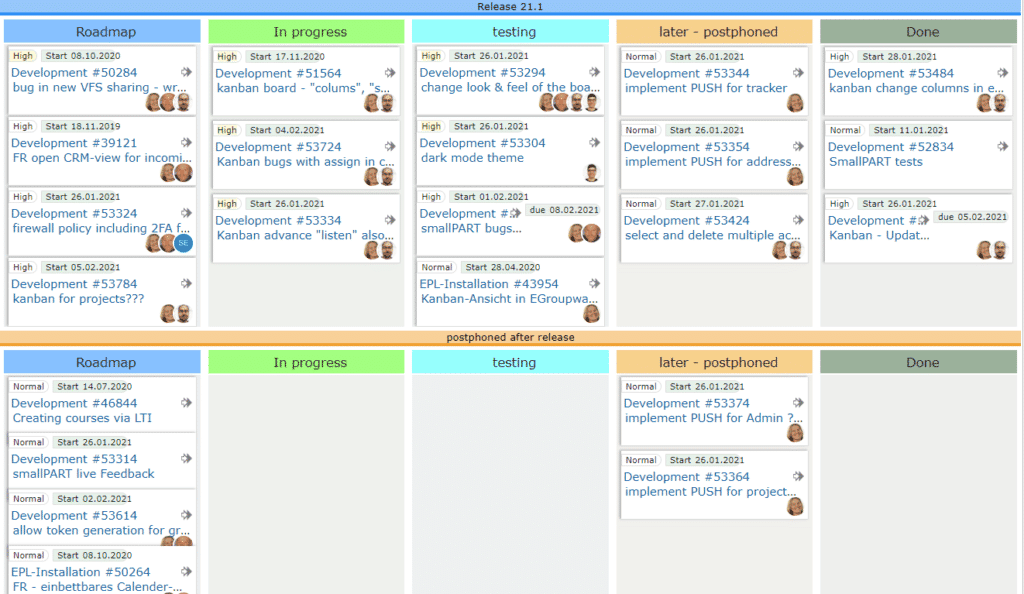
  • Kanban Board board for tasks, projects, tickets or as sales-funnel for the sales department
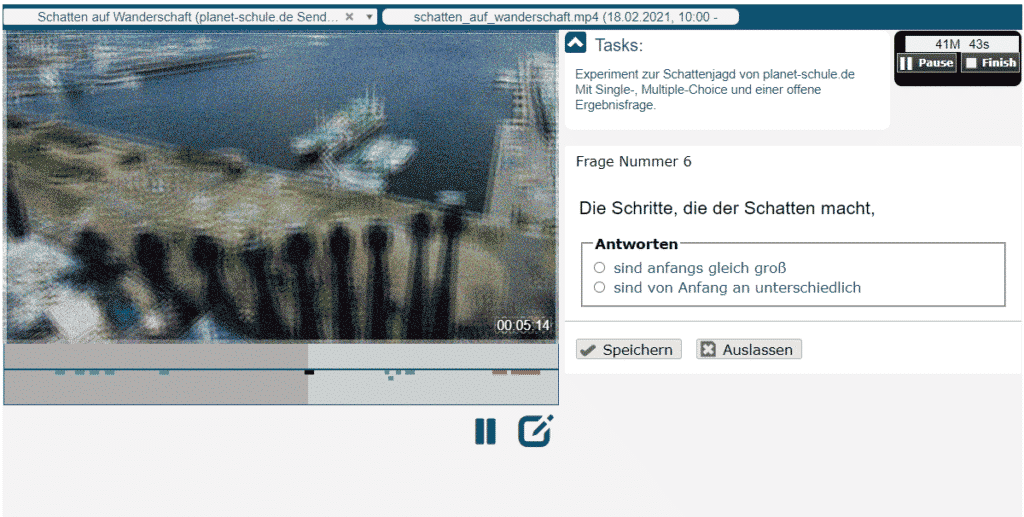
  • smallPART video-based learning with Single/MultipleChoice or open questions for tests and exams
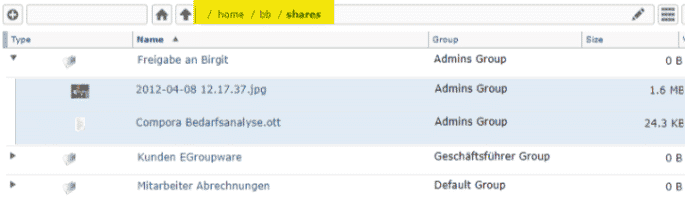
  • Sharing Enhancement in the Filemanager for sharing within EGroupware
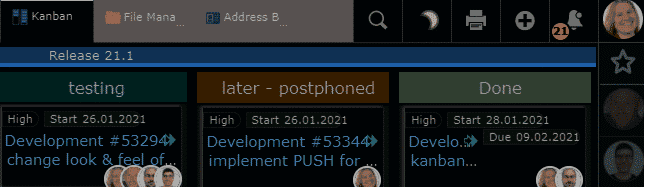
  • Dark Mode Theme with easy switching
  • Telephony Integration enhanced with caller ID and opening of CRM view
  • EGroupware Firewall Policy for more complex access regulations External/Internal


EGroupware Homeoffice Integration


With EGroupware you can work in your home office or at distributed locations. Access tasks, appointments, files, addresses and projects together.

  • Work together on your documents with Collabora Online,  which are stored centrally in the EGroupware filemanager.
  • Chat and video conferences  via Jitsi or BigBlueButton are also possible in compliance with GDPR. If you do not want to operate your own video server, we recommend the following German providers: KiwiTalk.de and bbbserver.de
  • With the Guacamole module, you get a fully-fledged home office workplace through secure web browser access to your PC in the company.


EGroupware Mailserver Packages and SpamTitan


EGroupware mail server packages (dovecot based with PUSH): (dovecot basierend mit PUSH):
Recommended for self-installation with users in SQL
Advantage: easy administration of mail accounts from EGroupware including alias, forwarding, permission of email accounts or folders for other users, Sieve filter rules and absence notice (can also be set by an admin for others e.g. in case of illness).
Optional spam and virus filtering via SpamTitan including API connection in EGroupware for marking SPAM/Ham (learning mode) or blacklists/whitelists.

Kanban application

for tasks, projects, tickets or as a sales funnel

EPL only

With the new Kanban application, you manage processes smart and flexible.
You simply define a Kanban board with the applications and user groups you want to use.
For more automatism, you define how new entries are added or actions that should take place when they are moved.

For example, if you move a task to the “done” column, it is closed and removed from the board. Two people are responsible for a process step? You define this on the board and the assignment happens automatically.

[dt_default_button link=”url:%2Fen%2Fkanban|title:Kanban”]More about Kanban …[/dt_default_button]

smallPART for tests and exams with single, multiple choice or open questions


Embedding via LTI in learning platforms

smallPART for video-based learning receives an extension for automated tests and exams with EGroupware 21.1.

You create multiple choice questions, mark the correct answers and set options for the exam if necessary.
A compulsory question for example, has to be answered before the student can continue to watch the video or the answers should be displayed in a random order.

Once the test taker has completed the test, the analysis happens automatically. In case of open questions, the teacher can simply comment them and award points.

[dt_default_button link=”url:%2Fen%2Fvideo-based-learning|title:Video%20based%20learning”]More about smallPART … [/dt_default_button]

Sharing enhancement

in the Filemanager for sharing within EGroupware

EGroupware 21.1 simply displays shared files or folders in your personal home directory under “Shares”.
If you want to see this sharing link even after logging in again, add it permanently to your shares with one click. If you no longer need it, simply delete it again.

[dt_default_button link=”url:%2Fen%2Fdocuments|title:Documents”]More about document sharing …[/dt_default_button]

Dark Mode Theme

with simple switching

Do you prefer an inverse display of the content in the dark – called Dark Mode?

As of version 21.1, you can switch between day and night mode with a single click or automatically if your operating system supports it, e.g. MacOS.

Telefonie-Integration

extended with caller ID and opening the CRM view
Integration with Placetel telephone system

In EGroupware 21.1, incoming calls can now directly open the CRM view of the contact or organisation. 

The requirement is either the use of a Placetel telephone system as part of the EPL functions or that your telephone system uses our Api calls. More detailed information about the Api can be found in the administration of the EPL functions. Further integrations are for example the display of calls in the calendar, or the call list with identified contacts or the total call list (incoming, outgoing, missed) for the administrator. More to come!

[dt_default_button link=”url:%2Fen%2Fcrm|title:CRM”]More about CRM Integration …[/dt_default_button]

EGroupware Firewall Policy

for more complex access regulations External/Internal

EPL only

You want to define a fine-grained rule for your organisations, like “who is allowed to log in when and how”?  

Access to the company network is supposed to be used as a second factor (2FA)? You simply specify the corresponding IP ranges. You want to allow access for a limited time or only permit access from outside the company network via 2FA and only for the groups admin, sales and management?

All this is possible with the firewall policy.

Integrated video conferencing and remote access to desktop PCs

Integrated video conferencing and remote access to desktop PCs

Video conferences and remote access to desktop PCs integrated

The collaboration solution EGroupware now offers a module for video conferences with the integration of “Jitsi”. The new module “Guacamole” provides a full-fledged home office workplace by accessing the company PC via web browser.
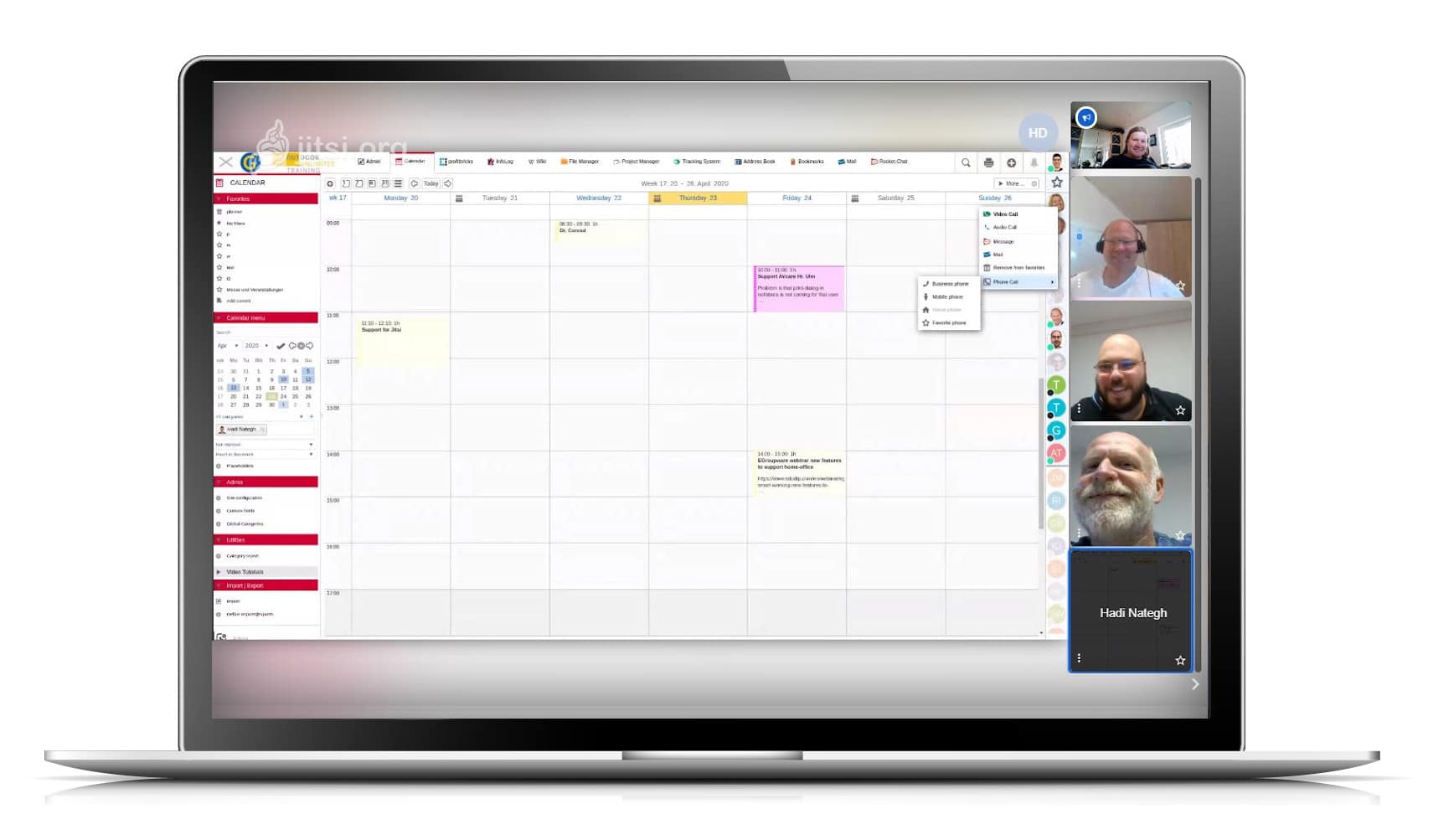

Video conferences with EGroupware 19.1

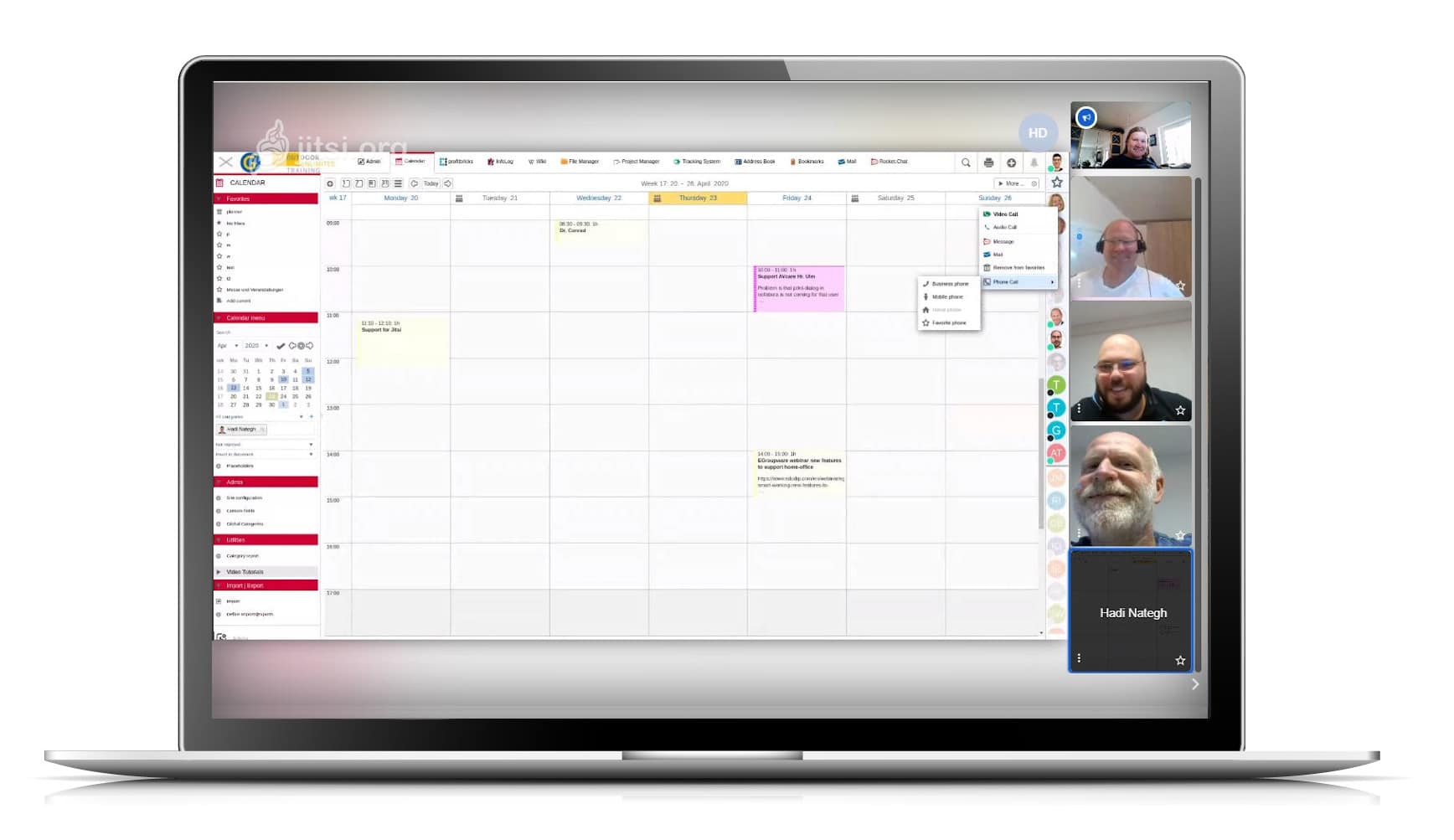
Kaiserslautern, 24.04.2020 – With Jitsi, it is very easy to hold video conferences with colleagues at home or in the home office and with external parties. Via the status bar, EGroupware users can see who is online. With these employees, ad hoc virtual meetings can be arranged. For others and contacts outside the groupware circle who are not online, invitations can be sent out from EGroupware and conference appointments can be arranged.
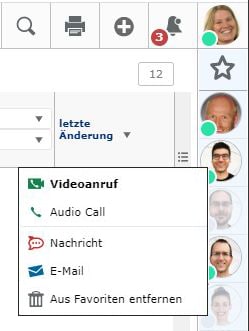
External participants will receive an e-mail with a link to join the conference. The data connection is encrypted, and as long as the server is located in Germany, there are no data protection concerns. No additional tool is required. Jitsi runs in a web browser.

Parallel to the video conference, other EGroupware modules for chat, document exchange and editing (Collabora Online) etcetera can be used.

The Jitsi extension is part of the maintenance update 19.1.20200409 of EGroupware. For its users – in the community like the
Professional version – the EGroupware GmbH and IONOS Cloud offer a jitsi server in Frankfurt, which will be available free of charge during the Corona crisis until the end of June 2020. If you have already set up Jitsi on your own server, you can simply add it to EGroupware.

Working in the home office is only possible to a limited extent in many places. For one thing, the desktops or notebooks available there do not have the performance of the end devices in the offices. And for another, it is neither possible nor desirable to set up VPN connections for all external systems. Therefore EGroupware GmbH has additionally made the module Guacamole directly from the collaboration software usable.
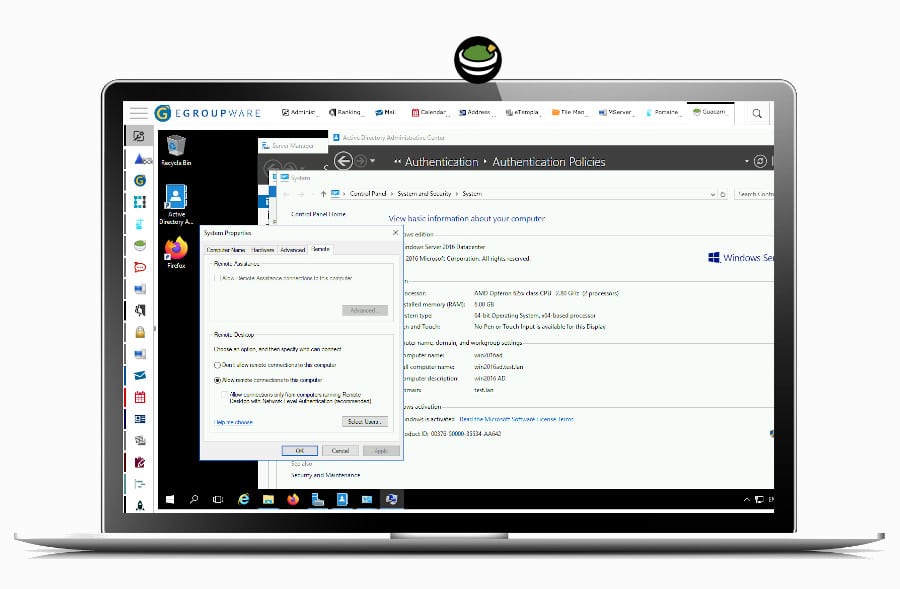
With Guacamole complex applications can be transferred to the browser of weaker PCs and used there. This also eliminates license cost issues for specialized applications on local PCs in the home office. It is therefore more than just screen sharing or remote maintenance as with TeamViewer, but rather full access to desktop PCs as with Citrix Virtual Apps or Parallels RAS. It is up to the administrators to determine which users should have access to which desktops and which security levels, for example two-factor authentication, are required for this.
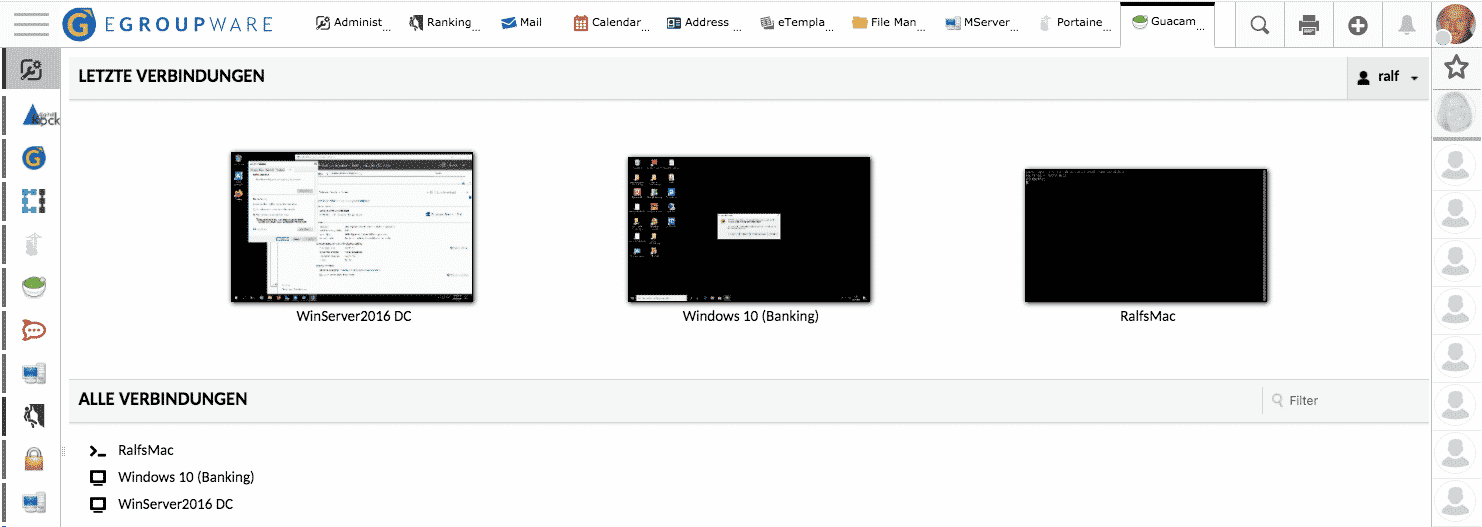
Jitsi and Guacamole are open source like EGroupware. It is therefore possible for users with their own IT environment to adapt the applications to their own requirements and to extend them if necessary. EGroupware GmbH offers assistance with installation and support. The sponsored Jitsi Server is already preconfigured on all EGroupware installations.

If you have questions about EGroupware, you can always contact our team!

With kind regards from Kaiserslautern

EGroupware GmbH

Release Announcement EGroupware 19.1

Release Announcement EGroupware 19.1

We would like to inform you that the 3rd release candidate of EGroupware 19.1 is available and that the release will be published next week. Start working with the new version prior to the actual release and thereby help us to find the last bugs of 19.1! Especially tests for updates on different platforms and with different application scenarios are interesting.

Installation packages for EGroupware 19.1 are now available. You’ll find an installation instruction on >> GitHub.

Please note that installations of the Community Edition which are set to “autoupdate” (depending on the distribution), with release date 13.08.2019 will be possibly (immediately) updated to the new release! If you do not want the changeover until a later date, you should deactivate “autoupdate”. More detailed information on whether your distribution will be changed over automatically or whether the update to the new version must be initiated manually can be found shortly in our installation instructions and the release notes.
Customers of the EGroupware Enterprise Line “EPL” will NOT be directly and automatically changed over, as in previous years. The announcement for the update to EGroupware 19.1 will be made via customer information within the next few weeks. If you are using EGroupware in the cloud and are interested in a direct update, simply contact us and we will update you to the new version in advance.

Please send your feedback and eventual bug reportings to the support center (for customers of the EPL) or post them in the EGroupware Forum (for users of the Community Edition). EGroupware Forum:  >> help.egroupware.org

In case you want to have a look at our german webinar about EGroupware 19.1, you’ll find it here:  >> 19.1 Webinar

We’re looking forward to your participation and a successful beta testing phase!

>>  EGroupware 19.1 at a Glance

EGroupware 19.1 – what’s new?

  • GDPR – easy to implement: Professional data protection in the address book
  • Admin support for GDPR: Documentation & reporting of all administrative changes
  • Two-Factor-Authentication: Activate it for additional data security
  • New Messenger in EGroupware: Integration of Rocket.Chat
  • Status App: New Application
  • General Improvements: Optimised user interface and new features in all apps

Innovations EGroupware 19.1 in detail

DSGVO easy to implement – professional data protection in the address book:
With the new “Policy Application” in EGroupware, you can define rules for your individual address books from 19.1 onwards. Which fields have to be filled in? Who in the company may access them? Who is allowed to see the private telephone numbers of the contacts? When should addresses be deleted automatically in order to comply with the DSGVO deadlines? The new policies regulate all this.
Practical: The rules can be printed and stored directly in the directory of processing activities (procedure directory).

Admin support for DSGVO: Documentation & tracking of all administrative changes:
From version 19.1 onwards, you can track all administrative changes precisely in the admin tool.
For example: An employee changes departments and therefore gets access to other data? Why did a change take place and who initiated it? In the new, comprehensive “Admin Documentation” this is recorded in detail.

Enable two-factor authentication for added data security:
By default, two-factor authentication is optionally enabled in 19.1. As an administrator, however, you can also activate or deactivate this as mandatory (not recommended).
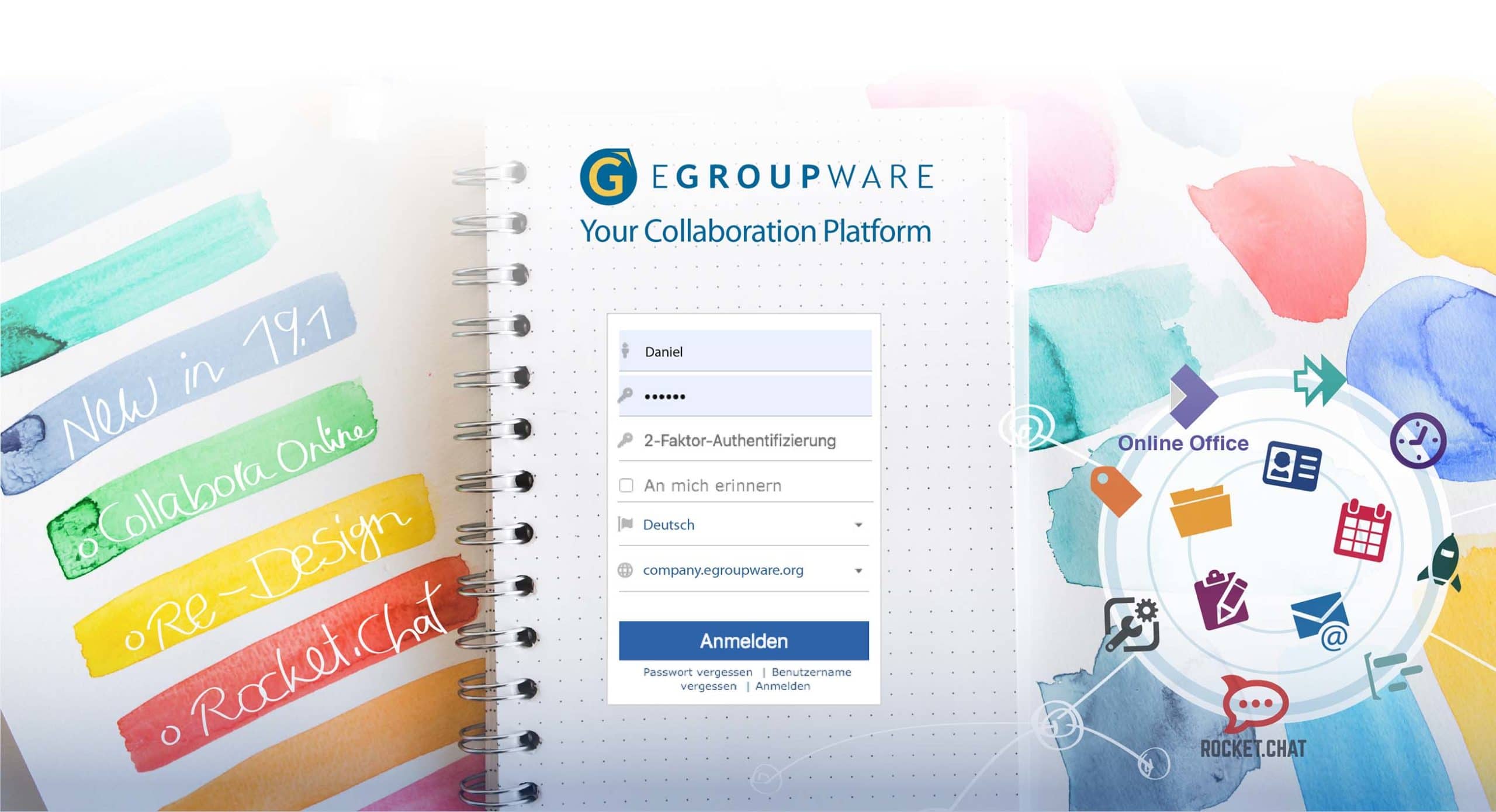
NEW: Allow users to set a “remind me” token. The browser cookie is offered by default as another factor in the Community and EPL version. So you don’t always have to enter the password as the 2nd factor on your own well secured laptop – password and token are considered to be 2 factors.
Further options for EPL customers are planned here, for example the activation of two-factor authentication outside the home network or outside normal business hours.

Integration Rocket.chat messenger and status application:
With Rocket.Chat you can chat safely and easily with your colleagues and partners within EGroupware. It enables team chats, screen transmission and video chats as well as the exchange of files. Rocket.chat is – like EGroupware – open source software and the leading alternative to proprietary chat tools like Slack, Microsoft Teams, Hipchat or Stride.
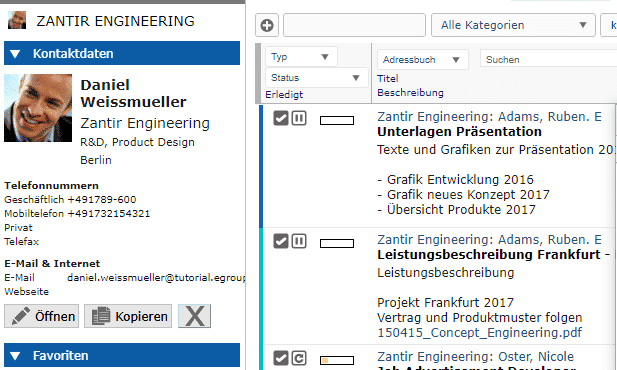
With the “Status-App” you can quickly see who of your colleagues is online – in EGroupware or Rocket.Chat. With just one click you can start chats with colleagues or write e-mails to them. The integration of further applications is planned – for example starting a phone call with a colleague or displaying the most important contacts, tasks, tickets and their changes.

Optimized user interface:
Starting with version 19.1 the EGroupware apps have their own color code. Colored icons and page menus facilitate orientation and show directly in which app you are. Of course, it is still possible to use a monochrome view. Compared to EGroupware 17.1, the user interface is clearer and more transparent. Version 19.1 also supports the use of avatars (users can assign a photo or graphic to their profile). The new editor (TinyMCE) provides increased security (through full support of the “Content Security Policy”) and also offers users technical and optical improvements.

New functions in many applications:

  • Ticket system (edit comments and add files to comments)
  • File manager (direct Collabora sharing link, file paths are directly clickable)
  • Mail app (change the subject of incoming e-mails, e.g. for scanned documents or electronic faxes)
  • Calendar (new quick insert dialog for appointments)

If you have any kind of questions concerning EGroupware 19.1, please feel free to contact us.

Best regards

Eva Wertheimer
EGroupware GmbH

Release Announcement EGroupware 19.1

Pre-Release and Betatest 19.1

We’d like to invite you to join the EGroupware 19.1 testing phase – no matter if you’re using EGroupware on premises or in the cloud. Start working with the new version prior to the actual release and thereby help us to find the last bugs of 19.1!

The first installation packages for EGroupware 19.1 are now available. You’ll find an installation instruction on >> GitHub.
If you’re using EGroupware in the cloud and you’re interested in the beta test, please contact us. We’ll then update your installation to version 19.1 in advance to the regular release.

Please send your feedback and eventual bug reportings to the support center (for customers of the EPL) or post them in the EGroupware Forum (for users of the Community Edition). EGroupware Forum:  >> help.egroupware.org

In case you want to have a look at our german webinar about EGroupware 19.1, you’ll find it here:  >> 19.1 Webinar

We’re looking forward to your participation and a successful beta testing phase!

>>  EGroupware 19.1 at a Glance

EGroupware 19.1 – what’s new?

  • GDPR – easy to implement: Professional data protection in the address book
  • Admin support for GDPR: Documentation & reporting of all administrative changes
  • Two-Factor-Authentication: Activate it for additional data security
  • New Messenger in EGroupware: Integration of Rocket.Chat
  • Status App: New Application
  • General Improvements: Optimised user interface and new features in all apps


If you have any kind of questions concerning EGroupware 19.1, please feel free to contact us.

Best regards

Eva Wertheimer
EGroupware GmbH

Outlook CalDAV Sync Client

Outlook CalDAV Sync Client

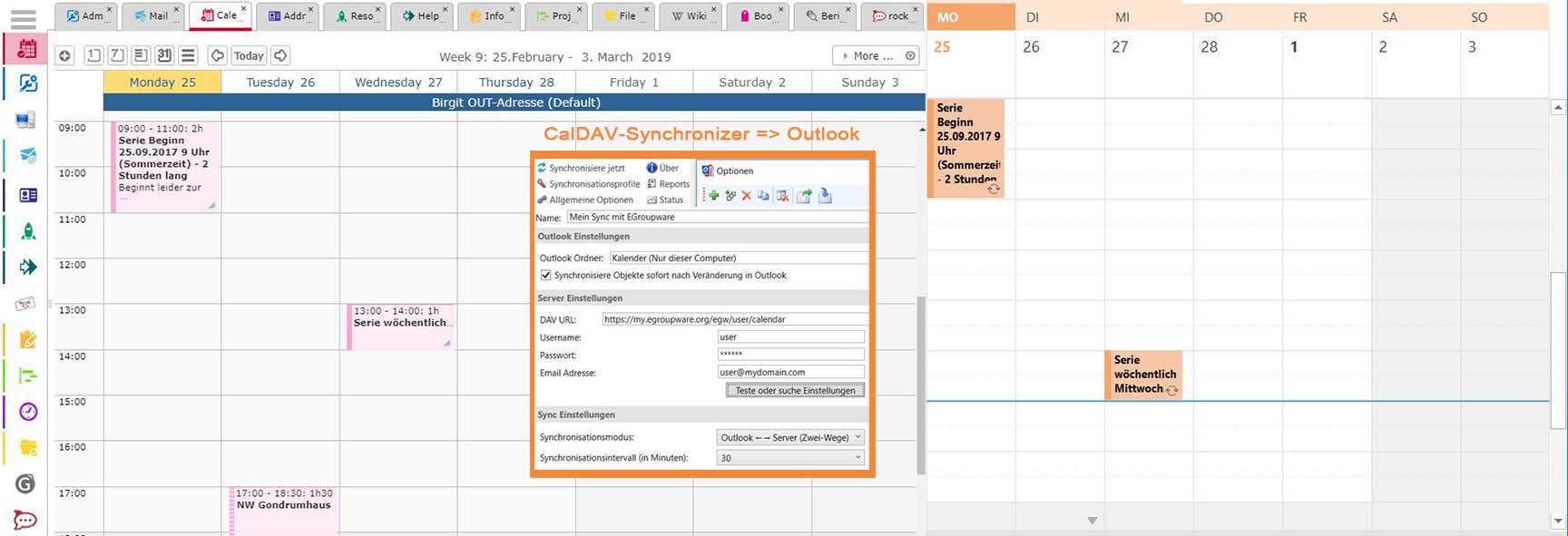
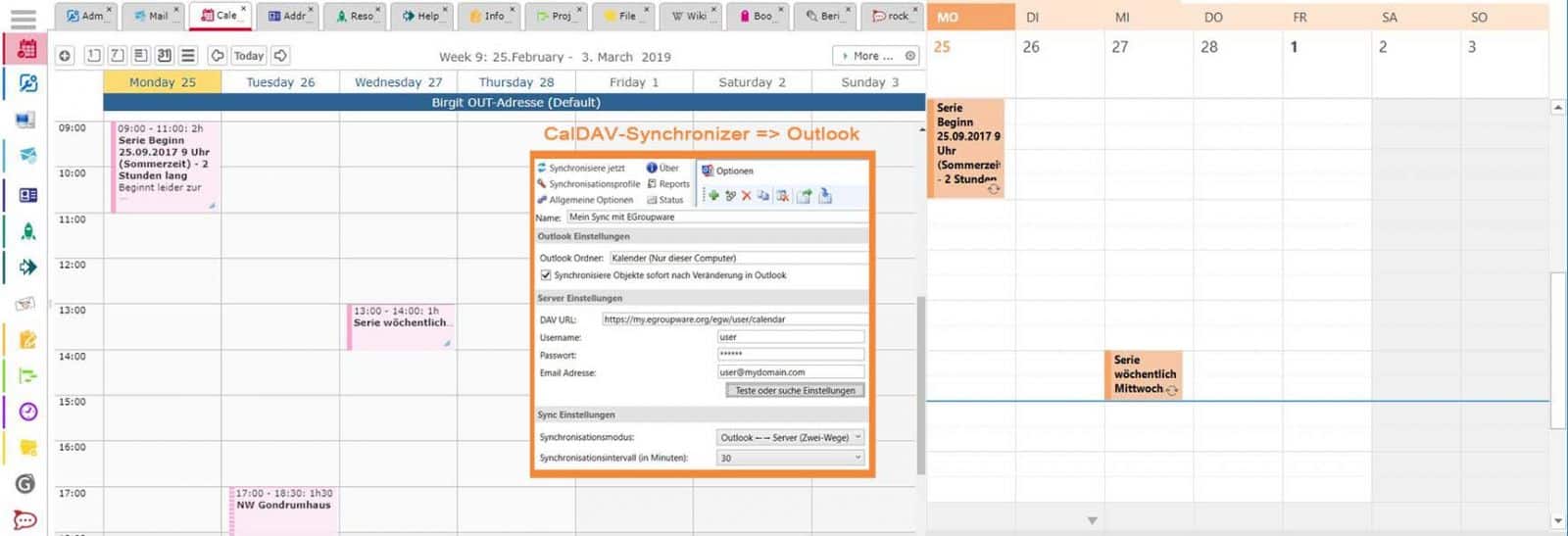
Outlook CalDav Synchronizer synchronizes events and contacts between Outlook and EGroupware. Supported Outlook versions are 2019, 2016, 2013, 2010 and 2007. The Outlook CalDav Synchronizer is Free and Open-Source Software (FOSS). You can find and contribute to the source code on github.

Having established the contact in December 2018, EGroupware GmbH started a cooperation with Alexander Nimmervoll from Generalize-IT Solutions OG at CalConnect. Soon there will be a purchase version of Outlook CalDAV Synchronizer, profesionally “supported” for EGroupware.

Contrary to the freely available version, the purchase version ensures that EGrouware is tested regularly and reported errors are corrected. If you are interested, please contact us.

The new EGroupware 19.1 will be released shortly. We’ll keep you informed here and in the EGroupware Newsletter. More information about EGroupware and open source topics can be found on facebook and twitter.

Best regards,

Birgit Becker

Collabora 4.0 and Outlook CalDAV Sync-Client

Collabora 4.0 and Outlook CalDAV Sync-Client

Dear EGroupware Users,

in February the schedule was already quite full and right at the beginning of the year there were two exciting events. At the Univention Summit EGroupware was silver sponsor and at the CalConnect chief developer Ralf Becker and community manager Stefan Unverricht were able to make new contacts. In our February newsletter we would like to keep you informed about the latest developments at EGroupware.

Collabora Online 4.0 released

Collabora Online 4.0 was released on 14 February 2019. Further information can be found below in the newsletter.

This release includes a new look, mobile improvements, improved interoperability, new dialogs and features, as well as a number of bug fixes and other improvements. Collabora Online 4.0 will soon be available in EGroupware Hosting and also for self-installations.

Collaboration with the developer of the CalDAV Synchronizer for Outlook

Having established contact in December 2018, EGroupware GmbH started cooperation with Alexander Nimmervoll of Generalize-IT Solutions OG at CalConnect. Soon there will be a purchase version of CalDAV Synchronizer for Outlook “supported” for EGroupware. With the CalDAV Synchronizer you can synchronize address book and calendar data between EGroupware and common Outlook versions.

Contrary to the freely available version, the purchase version ensures that EGrouware is tested regularly and that reported errors are corrected. If you are interested, please contact us directly. More detailed information will soon be available on our website.

EGroupware 19.1

The new EGroupware 19.1 will be released shortly. The most important new features are:

  • Optimization for GDPR Address book policies and admin history support the implementation of the basic data protection regulation.
  • Communicate via Rocket.Chat: Integration of Rocket.Chat including screen transmission and video chat. Rocket.Chat is an open source team chat platform that allows you to communicate securely and easily in real time with other people within ECroupware. Rocket.chat is the leading open source alternative to proprietary chat tools like Slack, Microsoft Team, Hipchat or Stride and extremely user-friendly.
  • Improved user interface: Modern theme with colored icons and increased use of avatars (users can assign a photo or graphic to their profile).
  • Optimized collaboration with Collabora Online, e.g. new option to send a sharing link to externals for editing documents. This link opens directly in Collabora Online. It is also now possible to insert images directly from the EGroupware file manager.
  • Improvement of various EGroupware functionalities, for example the possibility to edit comments in the ticket system afterwards, color design in the ticket system according to subject area, category or version.

Collabora Online 4.0 – Release Details

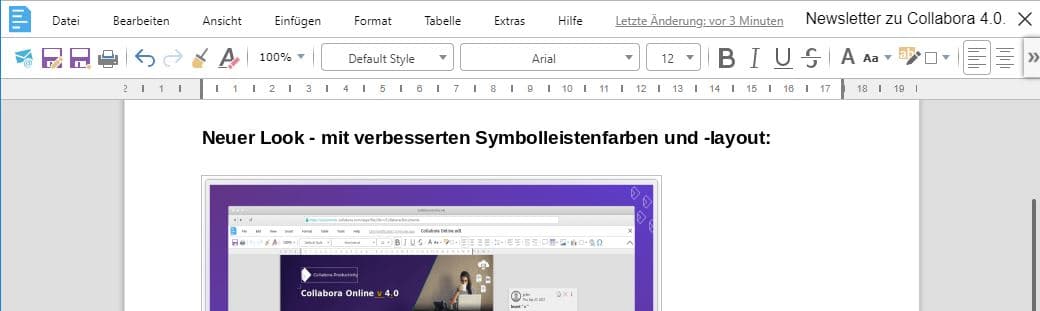
New look – with improved toolbar colors and layout:

The toolbars have been updated with a lighter color scheme and the colored Colibre icon theme (thanks to Andreas Kainz), which significantly improves the look of 4.0.
The colored icons fit very well to the new EGroupware theme, which will be available with EGroupware 19.1 as “Modern Theme”.
You can also use EGroupware 19.1 to share documents (sharing link), send them directly via e-mail or insert images from the EGroupware file manager.
The new version ist now available in the EGroupware Hosting.

New dialogs and functions:

  • Inserting comments, diagrams, shapes by icon in the toolbar
  • Improved shape editing including starting points for rotating or enlarging shapes and graphics
  • Table of contents and paragraph templates for text documents
  • Marking and protecting areas (text documents)
  • Edit headers and footers in presentations and spreadsheets
  • Edit page formatting for text and spreadsheet documents
  • Editing the formatting of enumerations and numbering (presentations)
  • Improved compatibility with OpenXML (DOCX, XLSX, PPTX) due to integration of LibreOffice 6.0 core functionalities


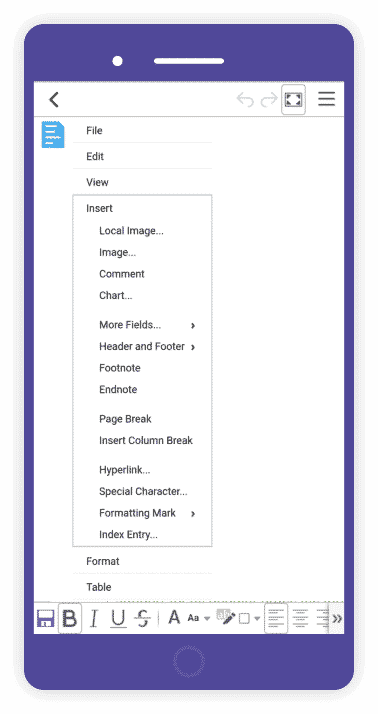
Improvements in use with mobile devices:

  • faster document loading times
  • Introduction of a simple, reduced display mode to facilitate the clear presentation of documents
  • Toolbars and menus for easier operation (hide, scroll functions)
  • Retina / HiDPI Display Enhancement: Use the browser’s native higher DPI to render with the actual resolution of the display and get crisp pixel rendering, for example at 200% zoom.
  • Enhance multi-touch behaviors such as zooming and panning to take advantage of the full functionality of desktop dialogs larger than a mobile screen.
This site is registered on wpml.org as a development site. Switch to a production site key to remove this banner.