Deprecated: Creation of dynamic property GW_GoPricing_Shortcodes::$globals is deprecated in /var/www/html/wp-content/plugins/go_pricing/includes/shortcodes/class_shortcodes.php on line 40 EGroupware, Author at EGroupware - Page 7 of 22
Integrated video conferencing and remote access to desktop PCs

Integrated video conferencing and remote access to desktop PCs

Video conferences and remote access to desktop PCs integrated

The collaboration solution EGroupware now offers a module for video conferences with the integration of “Jitsi”. The new module “Guacamole” provides a full-fledged home office workplace by accessing the company PC via web browser.

Video conferences with EGroupware 19.1

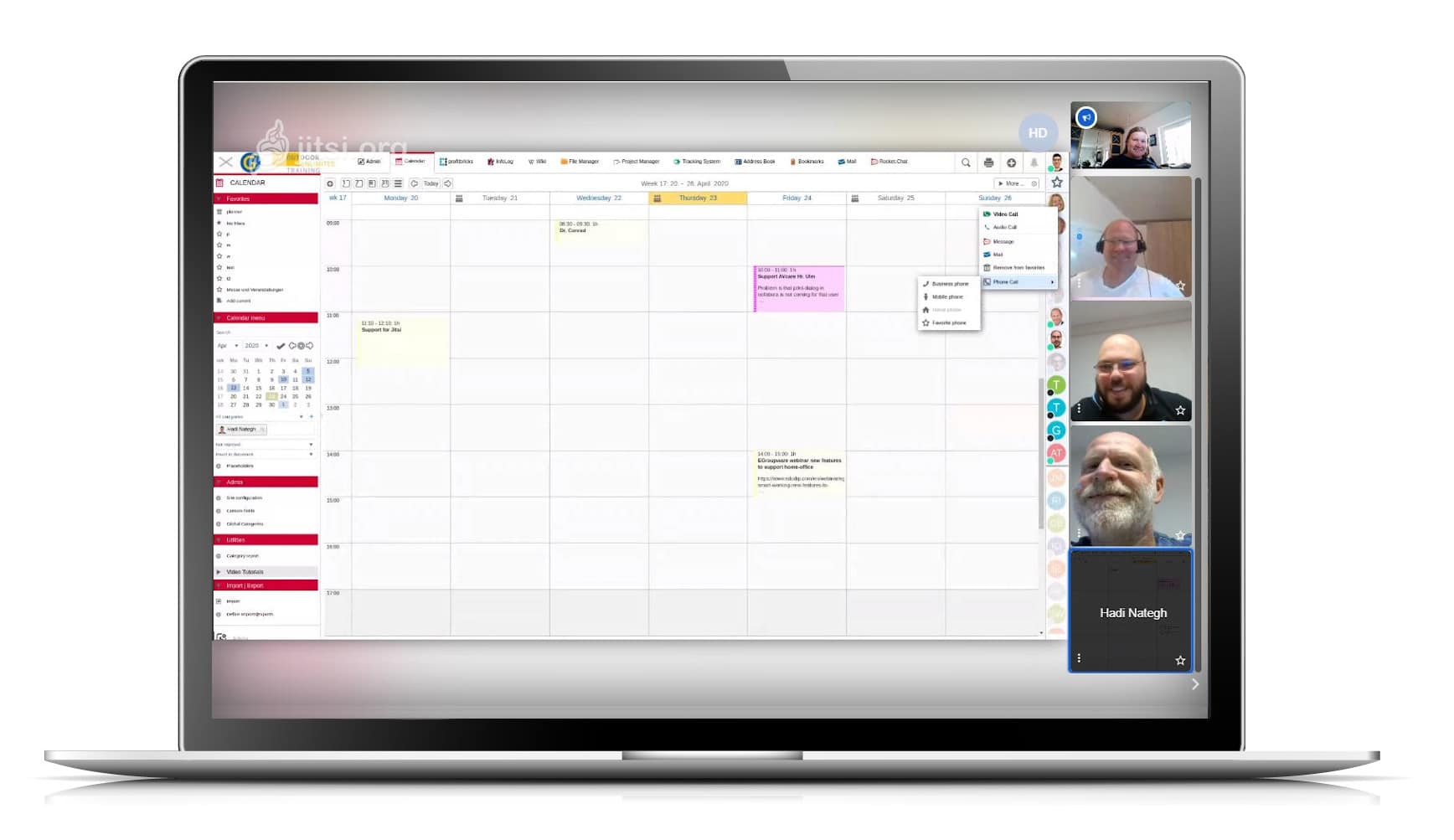
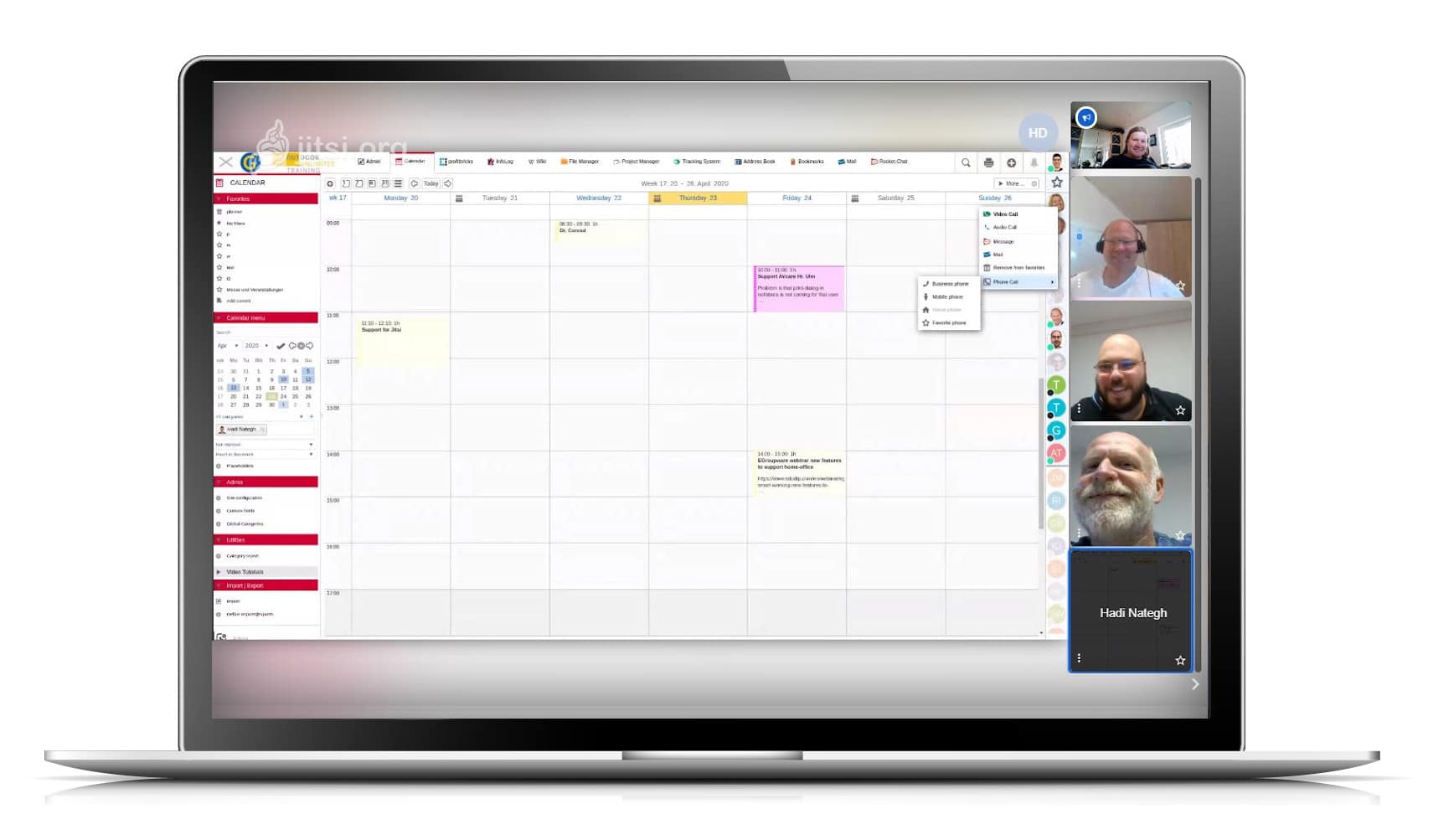
Kaiserslautern, 24.04.2020 – With Jitsi, it is very easy to hold video conferences with colleagues at home or in the home office and with external parties. Via the status bar, EGroupware users can see who is online. With these employees, ad hoc virtual meetings can be arranged. For others and contacts outside the groupware circle who are not online, invitations can be sent out from EGroupware and conference appointments can be arranged.
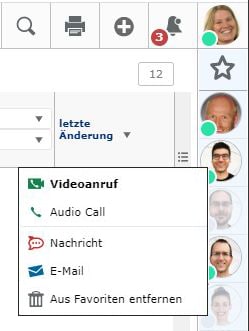
External participants will receive an e-mail with a link to join the conference. The data connection is encrypted, and as long as the server is located in Germany, there are no data protection concerns. No additional tool is required. Jitsi runs in a web browser.

Parallel to the video conference, other EGroupware modules for chat, document exchange and editing (Collabora Online) etcetera can be used.

The Jitsi extension is part of the maintenance update 19.1.20200409 of EGroupware. For its users – in the community like the
Professional version – the EGroupware GmbH and IONOS Cloud offer a jitsi server in Frankfurt, which will be available free of charge during the Corona crisis until the end of June 2020. If you have already set up Jitsi on your own server, you can simply add it to EGroupware.

Working in the home office is only possible to a limited extent in many places. For one thing, the desktops or notebooks available there do not have the performance of the end devices in the offices. And for another, it is neither possible nor desirable to set up VPN connections for all external systems. Therefore EGroupware GmbH has additionally made the module Guacamole directly from the collaboration software usable.
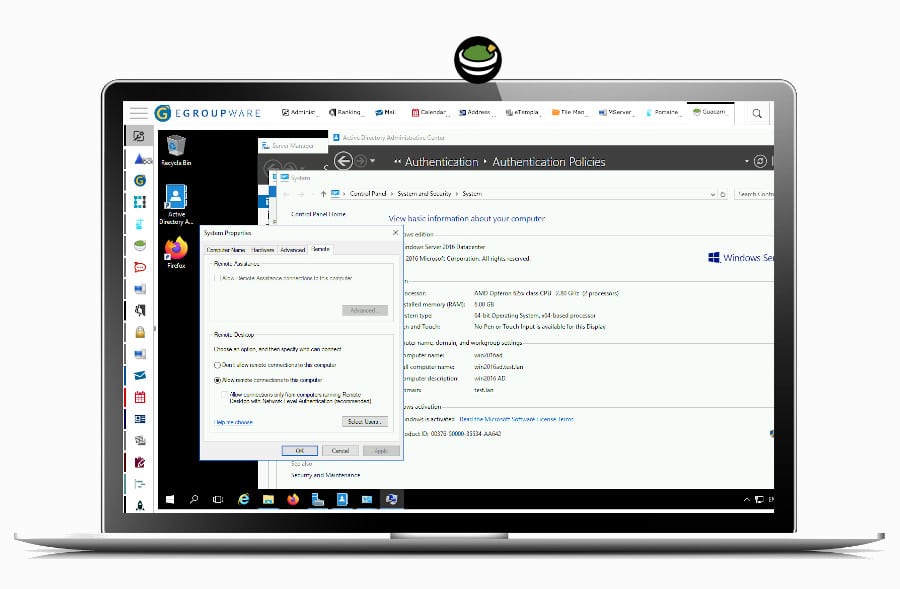
With Guacamole complex applications can be transferred to the browser of weaker PCs and used there. This also eliminates license cost issues for specialized applications on local PCs in the home office. It is therefore more than just screen sharing or remote maintenance as with TeamViewer, but rather full access to desktop PCs as with Citrix Virtual Apps or Parallels RAS. It is up to the administrators to determine which users should have access to which desktops and which security levels, for example two-factor authentication, are required for this.
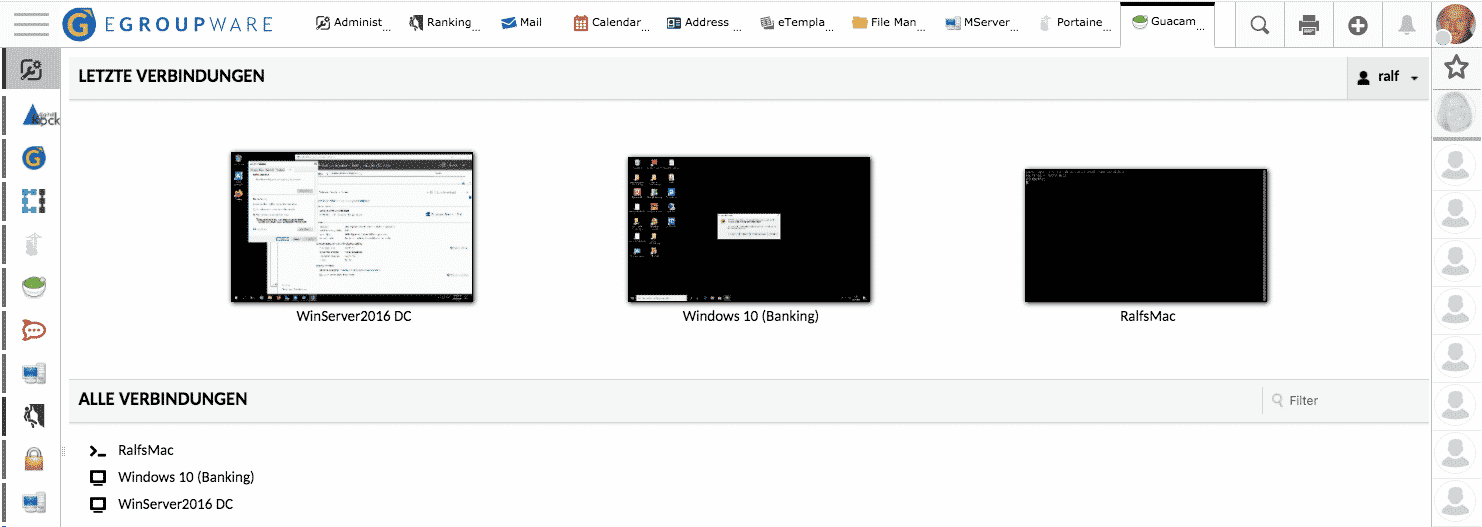
Jitsi and Guacamole are open source like EGroupware. It is therefore possible for users with their own IT environment to adapt the applications to their own requirements and to extend them if necessary. EGroupware GmbH offers assistance with installation and support. The sponsored Jitsi Server is already preconfigured on all EGroupware installations.

If you have questions about EGroupware, you can always contact our team!

With kind regards from Kaiserslautern

EGroupware GmbH

Smart working new features to support home office

Smart working new features to support home office

New features to support home office

You are currently viewing a placeholder content from YouTube. To access the actual content, click the button below. Please note that doing so will share data with third-party providers.

More Information

Smarter work with Guacamole and Home Office Tools

This webinar shows the new features in EGroupware and how you can benefit from video calls and the integration of Guacamole.

  • Home Office tools
  • Implementation about Guacamole
  • Jitsi and Rocket.Chat Server
  • Questions about the implentation and how to use it.

If you need any help with the tools, contact us.

[dt_default_button link=”url:https%3A%2F%2Fwww.egroupware.org%2Fen%2Ftutorials|title:Webinars%20%E2%80%93%20Tutorials” size=”custom” border_radius=”3px”]More Webinars[/dt_default_button]
IT  Administrator:  research about EGroupware 19.1

IT Administrator: research about EGroupware 19.1

The magazine for professional system and network technology – IT Administrator of Heinemann Verlag GmbH has published an article about working with EGroupware 19.1. The article describes very well the test of the software in comparison to other alternatives on the market:

There is hardly a company without groupware in which the employees are supposed to work together digitally in a meaningful way. However, many companies shy away from entrusting their confidential data to US providers. EGroupware comes from Germany and wants to be a real alternative to Office 365 & Co. for small and large companies alike.IT administrator has tested the new version 19.1.

The complete article from April 2020 in german language can be found here.

Smart Working – Educations and schools

Smart Working – Educations and schools

Home office for schools

You are currently viewing a placeholder content from YouTube. To access the actual content, click the button below. Please note that doing so will share data with third-party providers.

More Information

Smarter work in the home office for schools and education

This webinar shows the new features in EGroupware and the sending and submission of video calls and the integration of Guacamole.

Speaker: Birgit Becker – Managing Director, Support and Consulting:

  • Calendar meeting via video conference: select video conference as location and send the link to the conference directly via invitation
  • Openid – open external applications with access rights in EGroupware: integrate external apps in an iframe in EGroupware e.g. website, other wiki, portainer (docker management toolset) or email archiving
  • Home workstation via Guacamole-Apache: Share company desktop and display it in EGroupware – Interesting for everyone without a laptop

The Webinar is only in German language available. If you need any help with this tools, contact us.

[dt_default_button link=”url:https%3A%2F%2Fwww.egroupware.org%2Fen%2Ftutorials|title:Webinars%20%E2%80%93%20Tutorials” size=”custom” border_radius=”3px”]More Webinars[/dt_default_button]
2-Factor-Authentication (2FA)

2-Factor-Authentication (2FA)

2-Factor-Authentication (2FA) in EGroupware

You are currently viewing a placeholder content from YouTube. To access the actual content, click the button below. Please note that doing so will share data with third-party providers.

More Information

2-Factor-Authentication (2FA) in EGroupware

Sorry, this video is only available in German.

We show the different options and the most important settings for admins and how the folloing Authentification methods works.

  • WebAuthn
  • USB-Security Key (for example FIDO)
  • Google Authenticator
  • Login with Windows Hello
  • Tokens (“Remember me”)
  • 2FA on the Mobile

The 2FA is available for extended data security since EGroupware 19.1. If you have further questions, please feel free to contact the EGroupware Support.

[dt_default_button link=”url:https%3A%2F%2Fwww.egroupware.org%2Fen%2Ftutorials|title:Webinars%20%E2%80%93%20Tutorials” size=”custom” border_radius=”3px”]More Tutorials[/dt_default_button]
This site is registered on wpml.org as a development site. Switch to a production site key to remove this banner.