Deprecated: Creation of dynamic property GW_GoPricing_Shortcodes::$globals is deprecated in /var/www/html/wp-content/plugins/go_pricing/includes/shortcodes/class_shortcodes.php on line 40 EGroupware, Author at EGroupware - Page 18 of 35
2-Factor-Authentication (2FA)

2-Factor-Authentication (2FA)

2-Factor-Authentication (2FA) in EGroupware

You are currently viewing a placeholder content from YouTube. To access the actual content, click the button below. Please note that doing so will share data with third-party providers.

More Information

2-Factor-Authentication (2FA) in EGroupware

Sorry, this video is only available in German.

We show the different options and the most important settings for admins and how the folloing Authentification methods works.

  • WebAuthn
  • USB-Security Key (for example FIDO)
  • Google Authenticator
  • Login with Windows Hello
  • Tokens (“Remember me”)
  • 2FA on the Mobile

The 2FA is available for extended data security since EGroupware 19.1. If you have further questions, please feel free to contact the EGroupware Support.

[dt_default_button link=”url:https%3A%2F%2Fwww.egroupware.org%2Fen%2Ftutorials|title:Webinars%20%E2%80%93%20Tutorials” size=”custom” border_radius=”3px”]More Tutorials[/dt_default_button]
Lanzamiento de EGroupware 19.1

Lanzamiento de EGroupware 19.1

La mayor parte del trabajo de oficina puede realizarse con una solución de software
La versión 19.1 de EGroupware está disponible

EGroupware GmbH ha lanzado la última versión de su solución de colaboración. Entre las nuevas características se encuentran sobre todo un mensajero, funciones para cumplir con el GDPR, seguridad mejorada a través de la autenticación de dos factores y un diseño más claro de la interfaz de usuario.
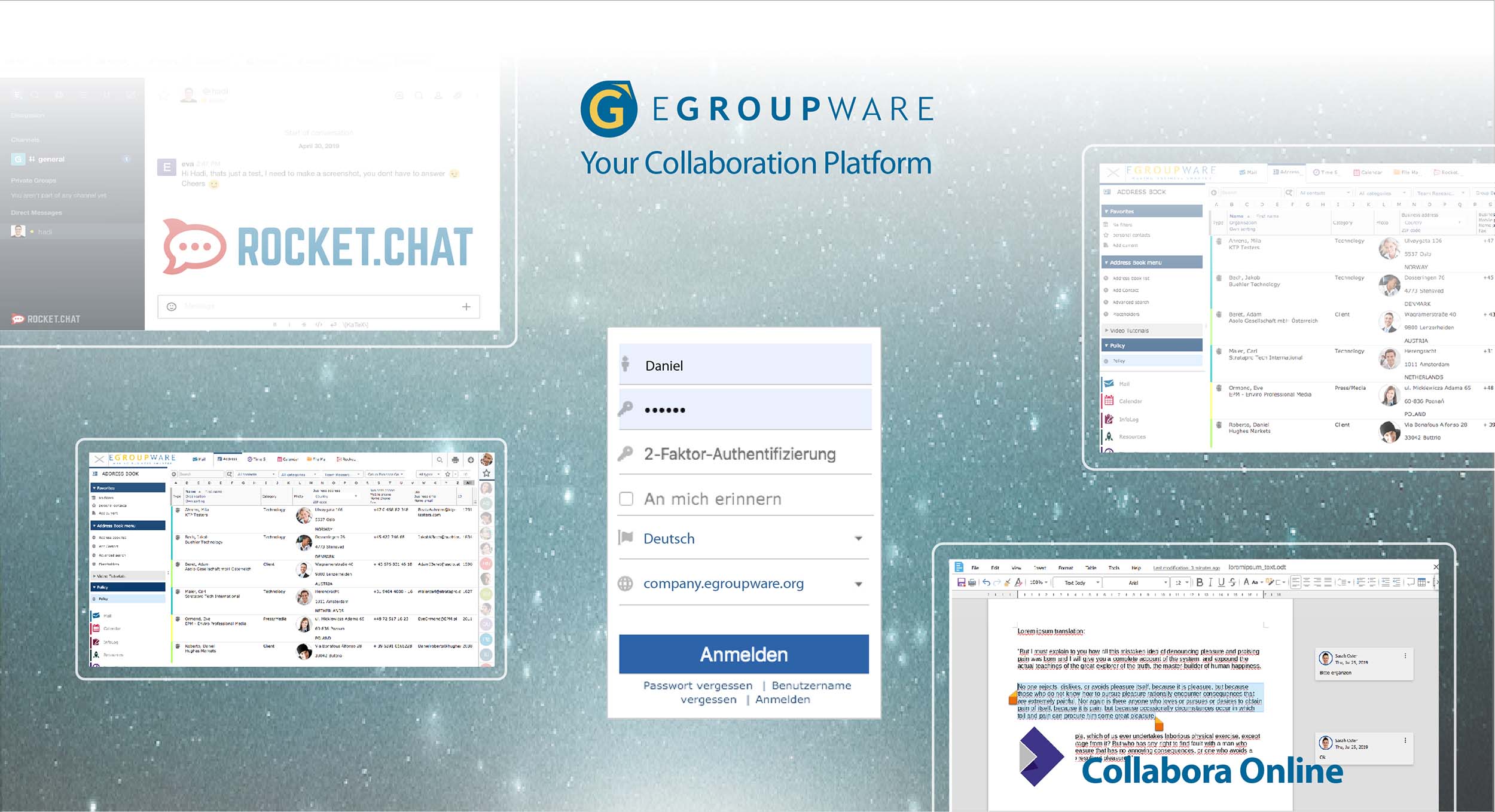
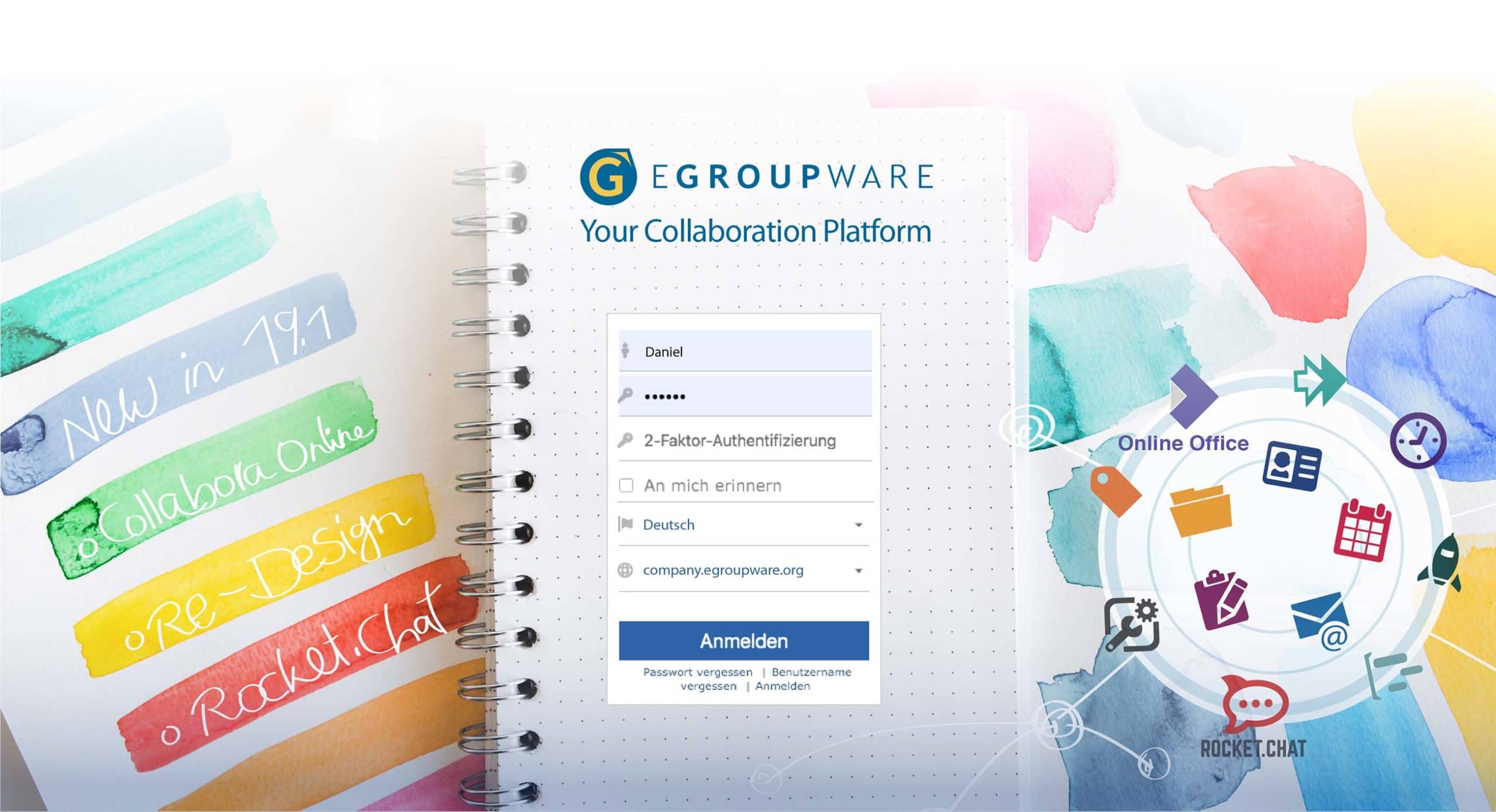
EGroupware 19.1 de un vistazo y la nueva página de acceso de EGroupware 19.1

Kaiserslautern, 13 de agosto de 2019 – Hace aproximadamente un año y medio, EGroupware experimentó una amplia expansión con la integración de la suite Collabora Office. Las mejoras de este año demuestran que el fabricante y su comunidad de desarrolladores están respondiendo rápidamente a los problemas y retos informáticos actuales.

En el futuro, será posible integrar en EGroupware medidas fundamentales para el cumplimiento del Reglamento básico de protección de datos (GDPR/DSGVO). En la nueva “Aplicación de Políticas” se puede regular el manejo de las libretas de direcciones. Las personas autorizadas pueden definir qué campos deben rellenarse y quién puede acceder a ellos. Al mismo tiempo, todos los cambios relativos a los derechos de acceso pueden ser rastreados en la herramienta de administración. Todas las medidas se registran en la nueva “Documentación administrativa” y, por tanto, pueden verificarse. Esta herramienta GDPR/DSGVO es una función de pago y sólo está disponible en la “Línea Empresarial” (EPL) de EGroupware.

Los usuarios de EGroupware disponen ahora de una medida de seguridad que todavía es demasiado infrecuente: La autenticación de dos factores (2FA). Los usuarios reciben una segunda clave de seguridad para el tráfico de datos, que sólo es válida durante un corto periodo de tiempo. Los administradores pueden habilitar opcional u obligatoriamente la autenticación de dos factores dentro del grupo de usuarios de EGroupware. El calendario de desarrollo de EGroupware incluye la opción de aplicar la autenticación de dos factores mediante políticas sólo para los usuarios externos, para los clientes de EPL.

Además, desde la versión 19.1 EGroupware contiene el mensajero “Rocket.Chat” para todos los usuarios. Rocket.Chat es, como la propia solución de colaboración, de código abierto y la principal alternativa a las herramientas de chat propietarias como Slack o Microsoft Teams, etc. Rocket.chat permite realizar chats de equipo y de vídeo, transferir pantallas e intercambiar archivos.

Para la integración de Rocket.Chat EGroupware fue ampliado por un servidor OpenID Connect / OAuth2. Esto permite que las aplicaciones que pueden autenticarse mediante Oauth se conecten a EGroupware. Esto permite integrar en el software de colaboración soluciones que no existen en EGroupware, como las aplicaciones específicas de la empresa.

Las innovaciones de EGroupware 19.1 son más claramente visibles en un detalle bastante pequeño. Las aplicaciones de EGroupware tienen ahora su propio color. Los iconos de diferentes colores y los menús de las páginas recorren todas las funciones de una aplicación. Esto facilita la orientación y la visión general en el programa de grupo, que es rico en aplicaciones. Si es necesario, puedes seguir utilizando una pantalla monocromática. Por cierto: Los usuarios de EGroupware pueden ahora añadir una foto o un gráfico a su perfil.
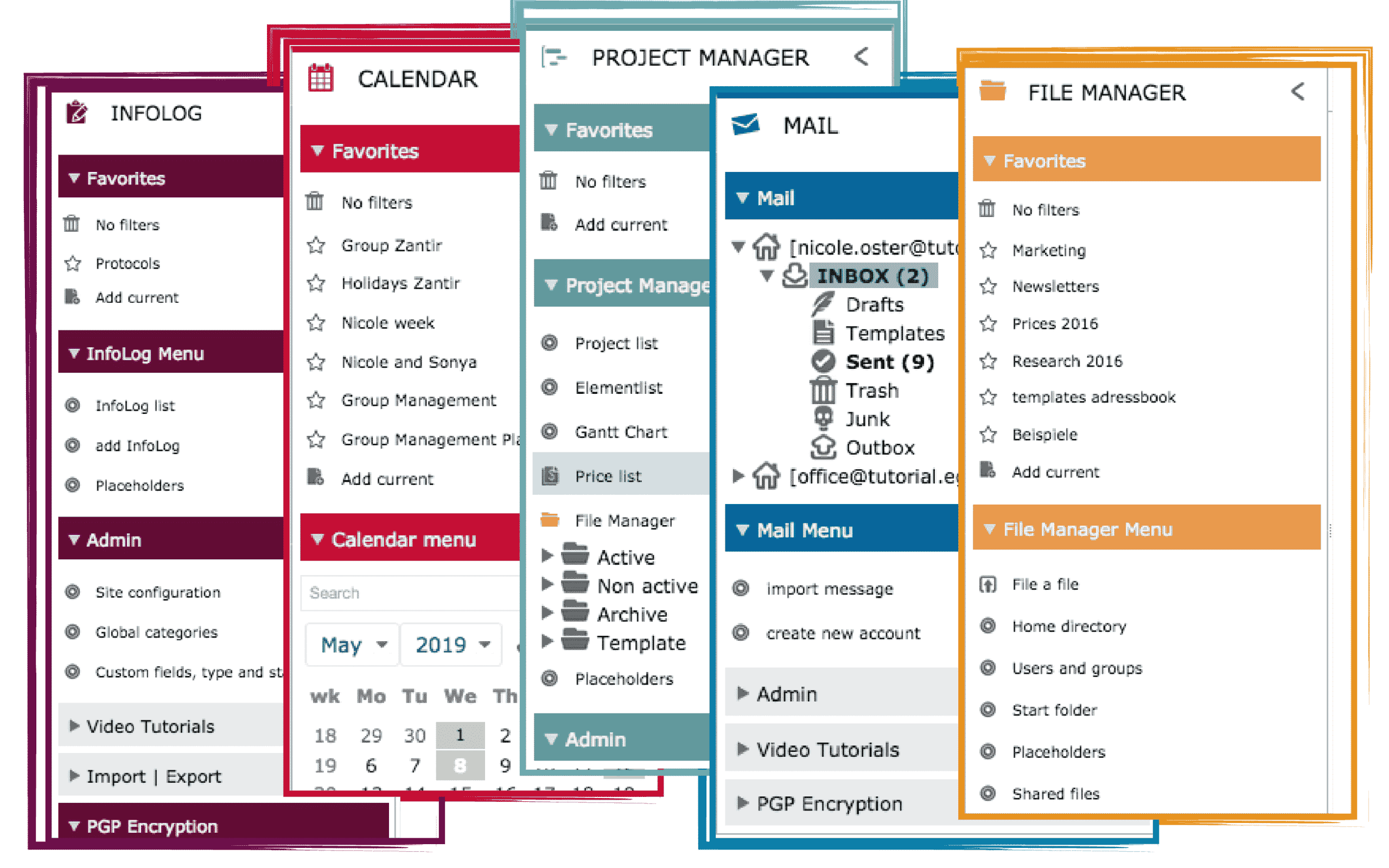
También las aplicaciones conocidas en EGroupware incluyen ahora algunas innovaciones:

  • Los documentos de Collabora pueden abrirse en el gestor de archivos haciendo clic en el “Enlace para compartir Collabora” para la edición colaborativa con un equipo, también con socios externos. Collabora Online permite enviar documentos por correo electrónico sin necesidad de pasar por la aplicación de correo. Las imágenes pueden insertarse directamente en Collabora desde el gestor de archivos de EGroupware.
  • En el sistema de tickets se pueden editar los comentarios y añadir archivos adjuntos. Se mantiene el orden cronológico de los comentarios y anexos.
  • Un vistazo a la “Aplicación de Estado” en la parte derecha de la ventana muestra qué colega está presente en todo momento. Un clic es suficiente para chatear con él o escribir correos electrónicos, sin necesidad de un programa de chat externo.
  • A partir de la versión 19.1, la aplicación de correo permite editar el asunto de los correos existentes. Esto proporciona una mejor visión de conjunto si los socios de correo utilizan líneas de asunto poco claras o engañosas. Esto también se aplica a los correos con documentos escaneados o faxes recibidos electrónicamente.
  • El nuevo editor “TinyMCE” es totalmente compatible con la “Política de seguridad de contenidos” y, por tanto, aumenta la seguridad del entorno de EGroupware.
  • Con el Sincronizador CalDAV de Outlook, los datos de la libreta de direcciones y del calendario pueden sincronizarse alternativamente entre EGroupware y las versiones comunes de Outlook.

Con la versión 19.1, EGroupware persigue sistemáticamente un alto nivel de calidad.
“La integración de Collabora Online Office en la versión 17.1 ha acercado mucho más a EGroupware a la visión de ofrecer todo lo que el usuario normal de oficina necesita en una sola plataforma de colaboración. Con el mensajero Rocket.Chat y la posibilidad de integrar otras aplicaciones a través de OAuth, hemos dado el siguiente paso”, explica Ralf Becker. El director general de EGroupware señala las perspectivas:
“La conversión técnica a Docker como plataforma simplifica la instalación y nos permitirá en el futuro, por ejemplo, informar a los usuarios en tiempo real sobre los cambios”.

En caso de que quiera echar un vistazo a nuestro webinar en alemán sobre EGroupware 19.1, lo encontrará aquí:
>> 19.1 Webinar

Si tiene algún tipo de pregunta sobre EGroupware 19.1, no dude en ponerse en contacto con nosotros.

Saludos cordiales

Eva Wertheimer
EGroupware GmbH

Lanzamiento de EGroupware 19.1

Release EGroupware 19.1

Most Office Work could be done with one Software Solution
EGroupware is released in Version 19.1

The EGroupware GmbH has released the latest version of its collaboration solution. Among the new features are above all a messenger, functions to fulfill the GDPR, improved security through two-factor authentication and a clearer design of the user interface.


EGroupware 19.1 at a glance and the new login-page of EGroupware 19.1

Kaiserslautern, August 13, 2019 – About one and a half years ago, EGroupware experienced a comprehensive expansion with the integration of the Collabora Office suite. This year’s improvements show that the manufacturer and its developer community are responding quickly to current IT issues and challenges.

In the future, it will be possible to embed fundamental measures for compliance with the Basic Data Protection Regulation (GDPR/DSGVO) in EGroupware. In the new “Policy Application” the handling of address books can be regulated. Authorized persons can define which fields have to be filled out and who is allowed to access them. At the same time, all changes concerning access rights can be tracked in the admin tool. All measures are recorded in the new “Admin Documentation” and can therefore be verified. This GDPR/DSGVO tool is a paid feature and only available in the “Enterprise Line” (EPL) of EGroupware.

A security measure that is still far too uncommon is now available for EGroupware users: Two-factor authentication (2FA). Users receive a second security key for data traffic, which is only valid for a short time. Administrators can optionally or mandatory enable two-factor authentication within the user group of EGroupware. The EGroupware development schedule includes the option to enforce two-factor authentication via policies for external users only, for EPL customers.

Furthermore, since version 19.1 EGroupware contains the messenger “Rocket.Chat” for all users. Rocket.Chat is, like the collaboration solution itself, open-source and the leading alternative to proprietary chat tools such as Slack or Microsoft Teams etc.. Rocket.chat enables team and video chats, screen transfers and the exchange of files.

For the integration of Rocket.Chat EGroupware was extended by an OpenID Connect / OAuth2 server. This allows applications that can authenticate via Oauth to be connected to EGroupware. This makes it possible to integrate solutions that do not exist in EGroupware, such as company-specific applications, into the collaboration software.

The innovations of EGroupware 19.1 are most clearly visible in a rather small detail. The EGroupware applications now all have their own color. The different colored icons and page menus run through all functions of an app. This facilitates orientation and overview in the groupware, which is rich in applications. If needed, you can still use a monochrome display. By the way: EGroupware users can now add a photo or graphic to their profile.

Also well-known applications in EGroupware now include some innovations:

  •  Documents from Collabora can be opened in the file manager by clicking on the “Collabora Sharing Link” for collaborative editing with a team – also with external partners. Collabora Online makes it possible to send documents by e-mail without any detour through the mail application. Images can be inserted directly into Collabora from the file manager of EGroupware.
  • In the ticket system comments can be edited and attachments can be added. The chronological order of comments and attachments is maintained.
  • A glance at the “Status App” on the right-hand side of the window shows which colleague is present at all times. One click is enough to chat with him or write e-mails – without an external chat program.
  • From version 19.1, the mail app allows you to edit the subject of existing mails. This provides a better overview if mail partners use unclear or misleading subject lines. This also applies to mails with scanned documents or electronically received faxes.
  • The new editor “TinyMCE” fully supports “Content Security Policy” and thus increases the security of the EGroupware environment.
  • With the Outlook CalDAV Synchronizer, data from the address book and the calendar can be synchronized alternately between EGroupware and common Outlook versions.

With version 19.1 EGroupware consistently pursues a high standard.
“The integration of Collabora Online Office in version 17.1 brought EGroupware much closer to the vision of offering everything that the normal office user needs on one collaboration platform. With the messenger Rocket.Chat and the possibility to integrate further applications via OAuth, we have taken the next step”, explains Ralf Becker. The managing director of EGroupware points out the perspectives:
“The technical conversion to Docker as a platform simplifies the installation and will allow us in the future for example to inform users in real time about changes”.

In case you want to have a look at our german webinar about EGroupware 19.1, you’ll find it here:  >> 19.1 Webinar

If you have any kind of questions concerning EGroupware 19.1, please feel free to contact us.

Best regards

Eva Wertheimer
EGroupware GmbH

LibreOffice Online in EGroupware

LibreOffice Online in EGroupware

LibreOffice Online in EGroupware

You are currently viewing a placeholder content from YouTube. To access the actual content, click the button below. Please note that doing so will share data with third-party providers.

More Information

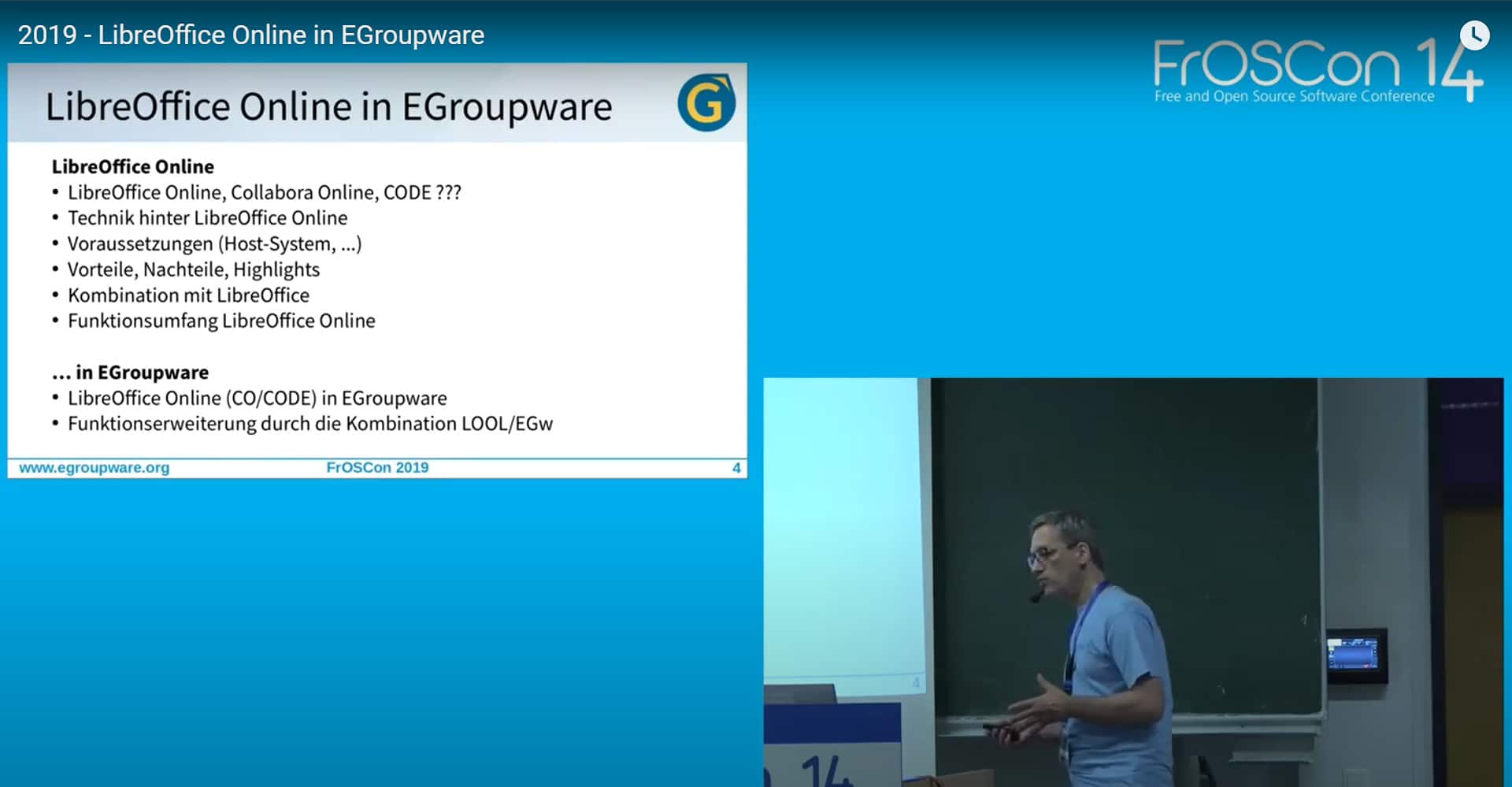
Stefan Unverricht at the FrOSCon 2019

EGroupware Community Manager Stefan Unverricht at the FrOSCon 2019 (Free and Open Source Software Conference).

Interesting speech about EGroupware and LibreOffice Online: An Online Office, that you trust..

Sorry, this video is only available in German.

If you have further questions, please feel free to contact the EGroupware Support.

[dt_default_button link=”url:https%3A%2F%2Fwww.egroupware.org%2Fen%2Ftutorials|title:Webinars%20%E2%80%93%20Tutorials” size=”custom” border_radius=”3px”]More Tutorials[/dt_default_button]
Lanzamiento de EGroupware 19.1

Release Announcement EGroupware 19.1

We would like to inform you that the 3rd release candidate of EGroupware 19.1 is available and that the release will be published next week. Start working with the new version prior to the actual release and thereby help us to find the last bugs of 19.1! Especially tests for updates on different platforms and with different application scenarios are interesting.

Installation packages for EGroupware 19.1 are now available. You’ll find an installation instruction on >> GitHub.

Please note that installations of the Community Edition which are set to “autoupdate” (depending on the distribution), with release date 13.08.2019 will be possibly (immediately) updated to the new release! If you do not want the changeover until a later date, you should deactivate “autoupdate”. More detailed information on whether your distribution will be changed over automatically or whether the update to the new version must be initiated manually can be found shortly in our installation instructions and the release notes.
Customers of the EGroupware Enterprise Line “EPL” will NOT be directly and automatically changed over, as in previous years. The announcement for the update to EGroupware 19.1 will be made via customer information within the next few weeks. If you are using EGroupware in the cloud and are interested in a direct update, simply contact us and we will update you to the new version in advance.

Please send your feedback and eventual bug reportings to the support center (for customers of the EPL) or post them in the EGroupware Forum (for users of the Community Edition). EGroupware Forum:  >> help.egroupware.org

In case you want to have a look at our german webinar about EGroupware 19.1, you’ll find it here:  >> 19.1 Webinar

We’re looking forward to your participation and a successful beta testing phase!

>>  EGroupware 19.1 at a Glance

EGroupware 19.1 – what’s new?

  • GDPR – easy to implement: Professional data protection in the address book
  • Admin support for GDPR: Documentation & reporting of all administrative changes
  • Two-Factor-Authentication: Activate it for additional data security
  • New Messenger in EGroupware: Integration of Rocket.Chat
  • Status App: New Application
  • General Improvements: Optimised user interface and new features in all apps

Innovations EGroupware 19.1 in detail

DSGVO easy to implement – professional data protection in the address book:
With the new “Policy Application” in EGroupware, you can define rules for your individual address books from 19.1 onwards. Which fields have to be filled in? Who in the company may access them? Who is allowed to see the private telephone numbers of the contacts? When should addresses be deleted automatically in order to comply with the DSGVO deadlines? The new policies regulate all this.
Practical: The rules can be printed and stored directly in the directory of processing activities (procedure directory).

Admin support for DSGVO: Documentation & tracking of all administrative changes:
From version 19.1 onwards, you can track all administrative changes precisely in the admin tool.
For example: An employee changes departments and therefore gets access to other data? Why did a change take place and who initiated it? In the new, comprehensive “Admin Documentation” this is recorded in detail.

Enable two-factor authentication for added data security:
By default, two-factor authentication is optionally enabled in 19.1. As an administrator, however, you can also activate or deactivate this as mandatory (not recommended).
NEW: Allow users to set a “remind me” token. The browser cookie is offered by default as another factor in the Community and EPL version. So you don’t always have to enter the password as the 2nd factor on your own well secured laptop – password and token are considered to be 2 factors.
Further options for EPL customers are planned here, for example the activation of two-factor authentication outside the home network or outside normal business hours.

Integration Rocket.chat messenger and status application:
With Rocket.Chat you can chat safely and easily with your colleagues and partners within EGroupware. It enables team chats, screen transmission and video chats as well as the exchange of files. Rocket.chat is – like EGroupware – open source software and the leading alternative to proprietary chat tools like Slack, Microsoft Teams, Hipchat or Stride.
With the “Status-App” you can quickly see who of your colleagues is online – in EGroupware or Rocket.Chat. With just one click you can start chats with colleagues or write e-mails to them. The integration of further applications is planned – for example starting a phone call with a colleague or displaying the most important contacts, tasks, tickets and their changes.

Optimized user interface:
Starting with version 19.1 the EGroupware apps have their own color code. Colored icons and page menus facilitate orientation and show directly in which app you are. Of course, it is still possible to use a monochrome view. Compared to EGroupware 17.1, the user interface is clearer and more transparent. Version 19.1 also supports the use of avatars (users can assign a photo or graphic to their profile). The new editor (TinyMCE) provides increased security (through full support of the “Content Security Policy”) and also offers users technical and optical improvements.

New functions in many applications:

  • Ticket system (edit comments and add files to comments)
  • File manager (direct Collabora sharing link, file paths are directly clickable)
  • Mail app (change the subject of incoming e-mails, e.g. for scanned documents or electronic faxes)
  • Calendar (new quick insert dialog for appointments)

If you have any kind of questions concerning EGroupware 19.1, please feel free to contact us.

Best regards

Eva Wertheimer
EGroupware GmbH

This site is registered on wpml.org as a development site. Switch to a production site key to remove this banner.