Deprecated: Creation of dynamic property GW_GoPricing_Shortcodes::$globals is deprecated in /var/www/html/wp-content/plugins/go_pricing/includes/shortcodes/class_shortcodes.php on line 40 In the Press Archives - Page 4 of 5 - EGroupware
Pro Linux: EGroupware 17.1 integriert Collabora

Pro Linux: EGroupware 17.1 integriert Collabora

Pro Linux published an article about the new features and how Collabora Online Office is integrated into EGroupware:

EGroupware GmbH has released a new version 17.1 of its groupware. The open source solution enables collaborative editing of documents within Collabora, variable customization of the appearance, an additional option for encryption and new functionalities in various sub-applications.

The complete article from the 15th of November 2017 in german language can be found on the website of the website of Pro Linux.

EGroupware 17.1 con Collabora – Fusión de groupware clásico y servidor de archivos con oficina en línea

EGroupware 17.1 con Collabora – Fusión de groupware clásico y servidor de archivos con oficina en línea

Kaiserslautern, 15 de noviembre. 2017 – EGroupware GmbH ofrece la nueva versión 17.1 de su groupware. La solución de código abierto permite la edición colaborativa de documentos sin un cliente en una suite ofimática, una personalización más variable de la apariencia, una opción adicional de encriptación y muchas nuevas funcionalidades en sus sub-aplicaciones.

La versión 17.1 de EGroupware añade un servidor de archivos con Collabora Online Office a un groupware clásico con un sistema CRM integrado. El paquete completo puede utilizarse como una solución de nube alemana, así como en su propio centro de datos. Además, el EGroupware basado en el navegador no requiere ninguna
instalación de un paquete de Office en el cliente. Los usuarios pueden compartir documentos o carpetas con socios externos y editarlos directamente con la oficina integrada Collabora Online. Todas las partes implicadas pueden crear conjuntamente documentos de texto, hojas de cálculo o presentaciones.

Especialmente interesante es la posibilidad de utilizar la información almacenada del groupware o del sistema CRM en otros documentos. Los usuarios pueden crear una plantilla con marcadores de posición y guardarla en el servidor de archivos integrado de EGroupware. La información adicional de EGroupware puede añadirse a
esta plantilla. De este modo, los usuarios pueden, por ejemplo, comprobar los informes de las hojas de tiempo en línea y liberarlos como creación de facturas. También se pueden utilizar los datos de contacto de la libreta de direcciones para enviar un presupuesto como archivo adjunto. Las actas de las reuniones pueden ser conciliadas por varios participantes en línea y guardadas como anexo a la cita correspondiente.

En nuestra conferencia de usuarios de hace cinco meses, pudimos anunciar que la edición colaborativa era un objetivo a medio plazo”, explica Ralf Becker, Director General de EGroupware GmbH. Por eso estamos especialmente satisfechos de haber avanzado cuando pudimos prometer. Y hemos sido
capaz de cumplir las demás promesas”.

Esto incluye el establecimiento de altos estándares con EGroupware en términos de seguridad y soberanía de datos. La versión 17.1 incluye una Política de Seguridad de Contenidos (CSP) como medida definitiva contra el cross-site scripting. Al mismo tiempo, siempre se puede acceder al programa de grupo a través de una conexión segura (https).
El fabricante proporciona pruebas de penetración y actualizaciones de seguridad continuas. Los usuarios también pueden elegir si ejecutar EGroupware en su propio centro de datos o en la nube. El fabricante EGroupware ofrece un servicio gestionado en una nube alemana.

Desde la versión 17.1, EGroupware ofrece no sólo PGP, sino también S/Mime para el cifrado de extremo a extremo de los correos electrónicos y la gestión de tareas. Secure/Multipurpose Internet Mail Extensions “es un estándar para el cifrado y la firma de correos electrónicos encapsulados en mime mediante un sistema de cifrado híbrido. Las claves son
almacenado en la solución de colaboración. La clave pública se encuentra en la libreta de direcciones, lo que permite utilizarla para todos los contactos; la clave privada se almacena en el perfil de correo del usuario, encriptada con su contraseña de acceso.

SpamTitan “está integrado en EGroupware. Esto permite marcar los correos como spam o ham y colocar las direcciones de correo en listas negras o blancas, lo que hace que el sistema aprenda automáticamente. También es posible utilizar SpamTitan como servicio de filtrado de spam y virus para cuentas de correo externas.

Con la versión 17.1, EGroupware ha mejorado aún más sus funciones parciales. En la libreta de direcciones, los duplicados pueden ser explotados y todos los enlaces de los contactos (por ejemplo, citas, entradas de infología, etc.) pueden ser fusionados. La función CRM permite enviar correos personalizados en serie y guardarlos como infología para documentarlos durante un contacto con el cliente. CalDAV Sync elimina las tareas cuando el usuario se ha liberado de ellas.

Como se ha anunciado, la versión 17.1 permite adaptar EGroupware aún más que antes, por ejemplo, una página de inicio de sesión que se ajuste a las necesidades de la empresa. Las notificaciones se presentan de forma más clara, para que los mensajes importantes se reconozcan más rápidamente. Los usuarios encontrarán diálogos más sencillos para
seleccionar archivos o imágenes en los correos electrónicos o al guardar.

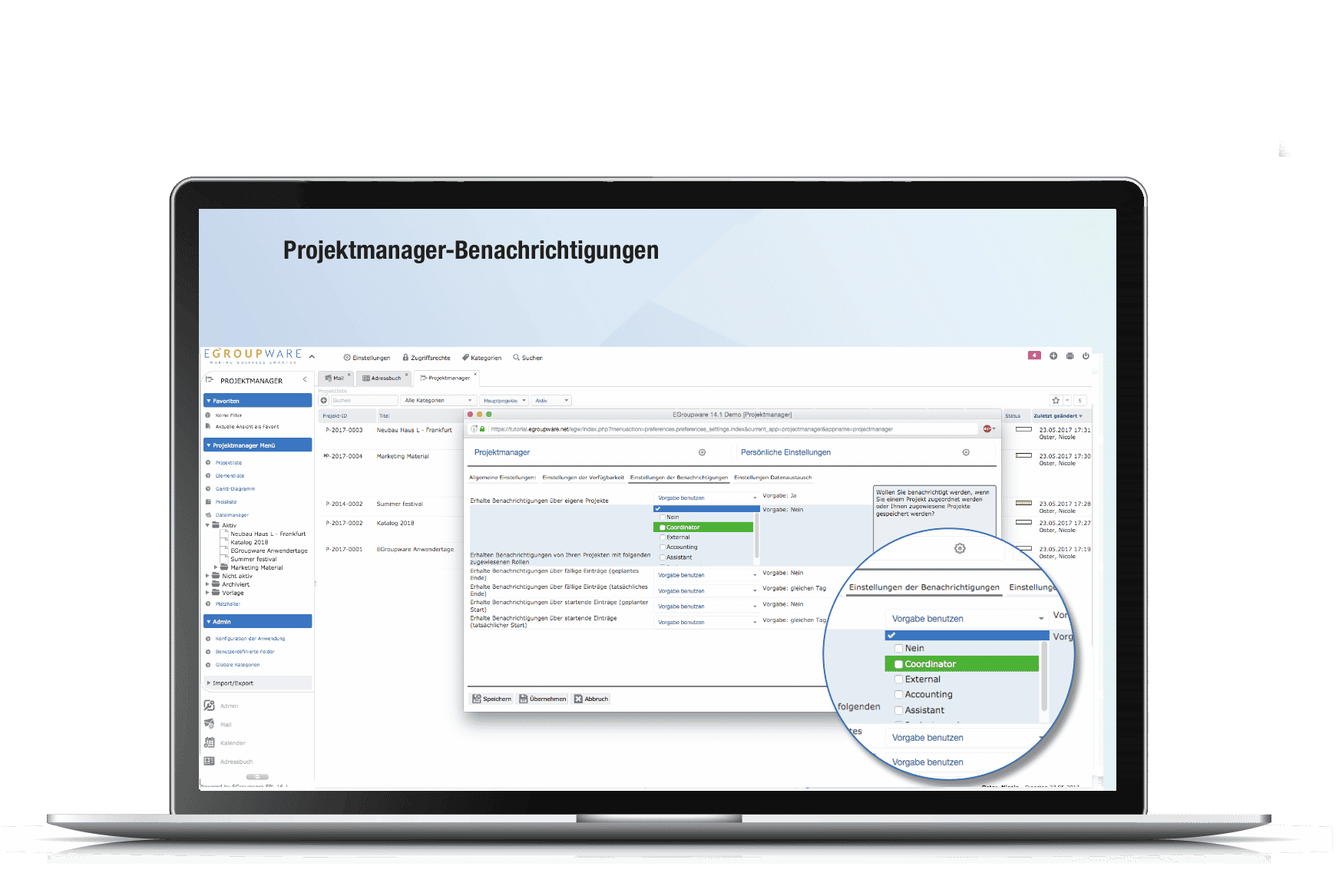
Una serie de nuevas características afectarán principalmente a los administradores: En el gestor de proyectos, las notificaciones pueden activarse en función de los roles de los usuarios. Por razones de seguridad, la configuración permite establecer una protección contra el borrado de los proyectos o restaurar los proyectos borrados. Los administradores obtienen una página de resumen de los grupos configurados. Y tienen la capacidad de exportar todos los derechos de acceso como CSV con filtros para usuarios, grupos y aplicaciones.

Las aportaciones y los deseos de los usuarios en nuestra última conferencia de usuarios y las continuas sugerencias de nuestro nuevo foro help.egroupware.org nos han dado un gran impulso”, explica Ralf Becker, director general de EGroupware GmbH. Incorporar las sugerencias y deseos de los usuarios es también una característica del código abierto, por lo que seguiremos desarrollando EGroupware más allá de la nueva versión 17.1.

EGroupware 17.1 con Collabora – Fusión de groupware clásico y servidor de archivos con oficina en línea

EGroupware 17.1 with Collabora – Merger of classic groupware and file server with online office

Kaiserslautern, November 15th. 2017 – EGroupware GmbH provides the new version 17.1 of its groupware. The open source solution enables collaborative editing of documents without a client in an office suite, more variable customization of the appearance, an additional encryption option and many new functionalities in its sub-applications.

EGroupware version 17.1 adds a file server with Collabora Online Office to a classic groupware with an integrated CRM system. The complete package can be used as a German Cloud solution as well as in your own data center. In addition, the browser-based EGroupware does not require any
installation of an Office suite on the client. Users can share documents or folders with external partners and edit them directly with the integrated Collabora Online Office. All parties involved can create text documents, spreadsheets or presentations together.

Particularly interesting is the possibility to use stored information from the groupware or CRM system in further documents. Users can create a template with placeholders and save it in the integrated fileserver of EGroupware. Further information from EGroupware can then be added to
this template. In this way, users can, for example, check reports from time sheets online and release them as invoice creation. Or contact data from the address book can be used to send a quotation as an attachment. The minutes of meetings can be reconciled by several participants online and saved as an attachment to the corresponding appointment.

At our user conference five months ago, we were able to announce collaborative editing as a medium-term goal,”explains Ralf Becker, Managing Director of EGroupware GmbH. That’s why we are particularly pleased to have made progress when we were able to promise. And we’ve been
able to keep the other promises.”

This includes setting high standards with EGroupware in terms of security and data sovereignty. Version 17.1 includes a Content Security Policy (CSP) as the ultimate measure against cross-site scripting. At the same time, the groupware can always be accessed via a secure connection (https).
The manufacturer provides ongoing penetration tests and security updates. Users can also choose whether to run EGroupware in their own data center or in the cloud. The manufacturer EGroupware offers a managed service in a German cloud.

Since version 17.1, EGroupware offers not only PGP but also S/Mime for end-to-end encryption of e-mails and task management. Secure/Multipurpose Internet Mail Extensions “is a standard for the encryption and signing of mime encapsulated emails by a hybrid encryption system. The keys are
stored in the collaboration solution. The public key is located in the address book, allowing it to be used for all contacts; the private key is stored in the user’s mail profile, encrypted with the user’s login password.

SpamTitan “is integrated in EGroupware. This allows you to mark mails as spam or ham and place mail addresses in blacklists or white-lists, which automatically makes the system learn. It is also possible to use SpamTitan as a service for spam and virus filtering for external mail accounts.

EGroupware has been improved further with version 17.1 in partial functions. In the address book, duplicates can be exploded and all contacts’ links (e. g. appointments, infolog entries, etc.) can be merged. The CRM function makes it possible to send personalized serial mails and to save them as infolog for documentation during a customer contact. CalDAV Sync removes tasks when the user has been freed from them.

As announced, version 17.1 allows EGroupware to be adapted even further than before – for example, a login page that matches the company’s needs. The notifications are presented in a clearer way, so that important messages can be recognized more quickly. Users will find easier dialogs for
selecting files or images in emails or when saving.

A number of new features will mainly affect administrators: In the project manager, notifications can be activated according to the roles of users. For security reasons, the configuration allows you to set up protection against deletion for projects or restore deleted projects. Administrators get an overview page of the configured groups. And they have the ability to export all access rights as CSV with filters for users, groups and applications.

The contributions and wishes of users at our last user conference and the ongoing suggestions from our new forum help.egroupware.org have given us substantial impulses “, explains Ralf Becker, managing director of EGroupware GmbH. Incorporating user suggestions and wishes is also a feature of Open Source, and so we will continue to develop EGroupware beyond the new version 17.1.

EGroupware 17.1

EGroupware 17.1

EGroupware 17.1 Business Competence

The integration of Collabora Online Office completes EGroupware to a flexible enterprise software:

Your users open and edit Office documents such as texts, tables or presentations directly in EGroupware. A ticket system, project management, CRM functionalities and the integrated file server go far beyond pure groupware functionality.

Thanks to the new notification function, you are always kept up to date on the most important changes made by your colleagues.

Simple marking as spam or whitelisting for e-mail addresses directly from the e-mail processing dialogue. Secure e-mail traffic through PGP and S/Mime encryption.

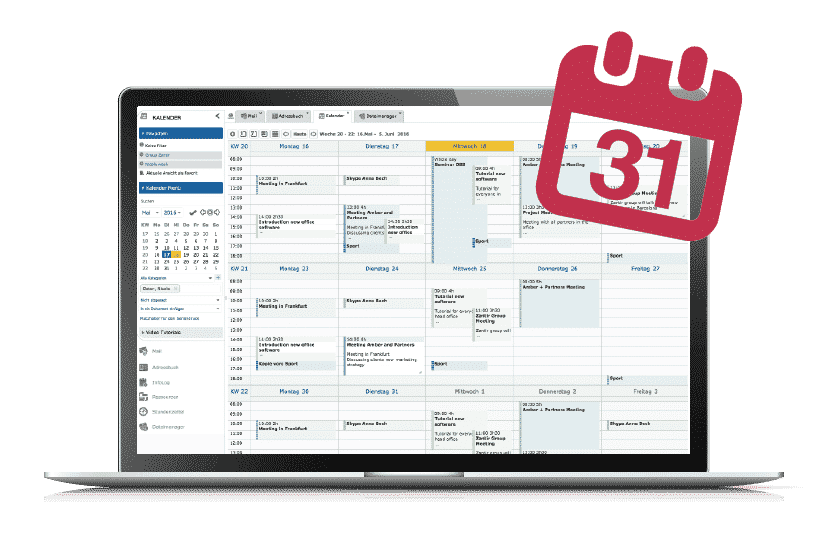
EGroupware Kalender Collaborative Software

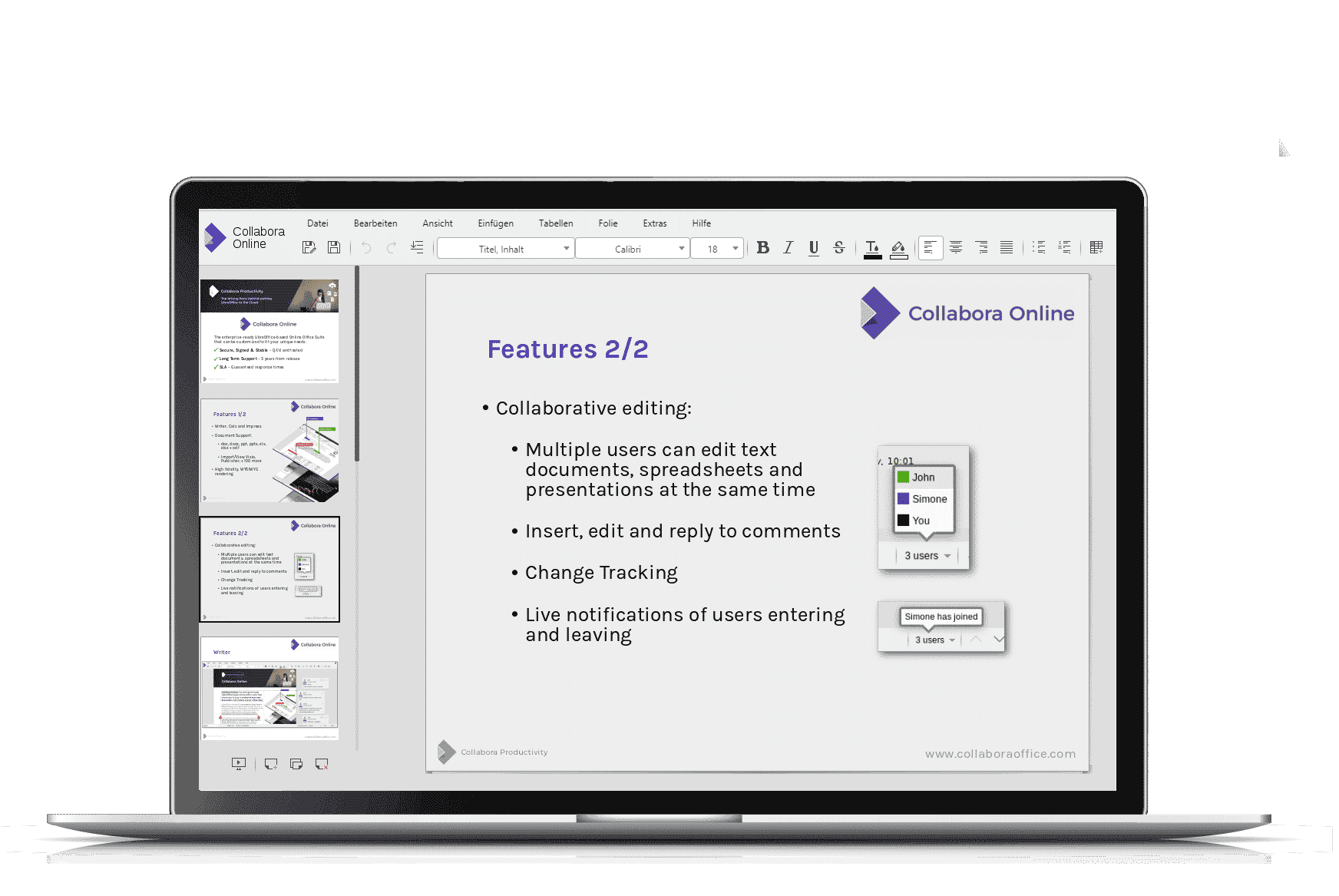
EGroupware 17.1 Collabora Office

Laptop_collabora1_DE

Documents are edited exclusively in the browser (Firefox or Chrome). The installation of a local office programme is no longer necessary.

The possibility to edit different texts or tables together in real time is a real enrichment for EGroupware users.

You collect your data in EGroupware, use template documents with placeholders and then insert the contents into your documents. Further processing or saving as a PDF is again done directly in the Online Office.

Optic & Usability

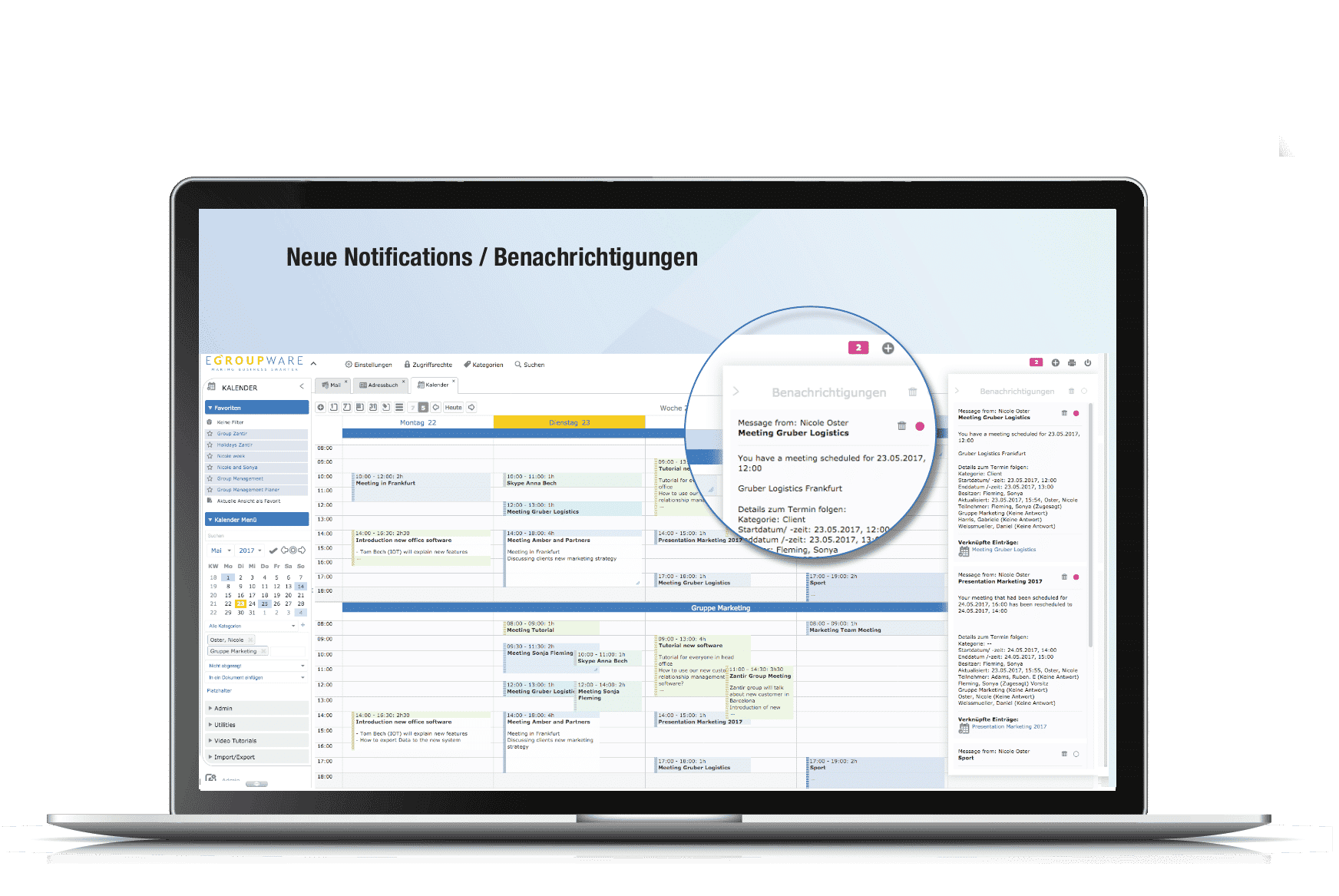
The notification function of EGroupware version 17.1 has been completely revised. The notifications are clearly displayed at the top right – so all important changes are always in view.

The new login page with customisation options for administrators is modern and increases identification with your company.

The dialogues for selecting files or images have also been revised and adapted to the lighter design.

Laptop_Benachrichtigungen1_DE

E-Mail – S/Mime – SpamTitan

In version 17.1, EGroupware now also offers S/Mime encryption in addition to PGP encryption of mails. Keys are stored in EGroupware – public key in the address book, private key in the user’s mail profile.

Integration of SpamTitan in EGroupware. EGroupware hosting customers can blacklist or whitelist email addresses and mark mails as spam or ham directly from the email module. Thus the filter learns and reduces the number of unwanted mails.

Even if your e-mails are not in EGroupware Hosting, you have the option of using spam and virus filtering via SpamTitan as a service.

Various extensions

Addresbook & CRM:

  • Duplicate view with possibility of uniting contacts including all links (Infolog entries, appointments …)
  • Extension of CRM functionality: send personalised serial emails and save them directly as Infolog for documentation on each customer
  • CalDAV Sync removes tasks when user is removed from delegation

Projectmanager:

  • Switch on notifications via roles
  • Security: Deletion protection and recovery of deleted projects – Can be switched on via configuration

Administration:

  • New overview page of the groups with all details and descriptions
  • Possibility to export all access rights as CSV (filter users/groups/applications)
Laptop_Projektmanager_DE
First Release Candidate for EGroupware Version 17.1

First Release Candidate for EGroupware Version 17.1

 Dear community members, developers and EGroupware users,

EGroupware GmbH is happy to announce the first 17.1 release candidate.

EGroupware Version 17.1 contains many new features and improvements. Just to name a few:

* Collabora: integration of Collabora Libre Office Online allowing to edit office document in browser
* Collabora: collaborative editing
* Collabora: free of charge trial via EGroupware GmbH Collabora server farm
* All apps: merge print now also opens merged documents in Collabora app
* All apps: new notification system showing notifications in, by default hidden, sidebar
* Mail: server-side S/Mime support (does not require browser plugins)
* Mail: SpamTitan integration: white- and black-listing of addresses, ham/spam marking of mails
* Mail: improved privacy allowing to not automatic load external images
* ProjectManager: role-based notifications
* Admin: new group-list and export of all ACL rights
* many improvements in all apps

Please note the changed minimum requirement of PHP 5.6+, recommended PHP 7.
It means you need at least a Debian 8/9, Ubuntu 16.04, RHEL/CentOS 6/7 or a current distribution of openSUSE or SLES with PHP 7.

Recommended installation packages are available in a separate server:eGroupware:trunk repository on build.opensuse.org:

https://software.opensuse.org/download.html?project=server%3AeGroupWare%3Atrunk&package=egroupware-epl 

EGroupware sources are managed on Github:

github.com/EGroupware/egroupware

Above page also contains installation instructions for the installation via git with myrepos tool and archives.

As an alternative to test an on-premises installation of version 17.1, EGroupware is available as a trial in the EGroupware data center.

Please help testing the release candidate.

We´re looking forward to your feedback on our Facebook page:

www.facebook.com/EGroupware

Happy testing 🙂

Ralf Becker

EGroupware Forum  help.egroupware.org
Support-Center  my.egroupware.org
Ralf Becker, Geschäftsführer und Leiter Software Entwicklung


Datacenter Insider: Los usuarios deciden el desarrollo de EGroupware

Datacenter Insider: Los usuarios deciden el desarrollo de EGroupware

El portal Datacenter Insider de Vogel IT-Medien GmbH ha publicado un artículo sobre el código abierto y las colaboraciones en el proyecto EGroupware. El artículo describe muy bien las nuevas características de la versión 16.1 de EGroupware y cómo los usuarios pueden contribuir al desarrollo:

La nueva versión 16.1 completa la reprogramación de EGroupware. La interfaz de usuario se adapta mejor a los diferentes formatos de los dispositivos. A partir de ahora, no son sólo los desarrolladores los que deciden los objetivos futuros, sino también los usuarios.

El artículo completo del 05 de julio de 2016 en idioma alemán se puede encontrar en la página web del sitio web de Datacenter Insider

This site is registered on wpml.org as a development site. Switch to a production site key to remove this banner.